

If you manage multiple social media accounts and reuse visual content, your images are quietly broadcasting more than you think. Every photo carries invisible data, and even a quickly blurred face or cropped background can betray your identity in ways that feel impossible until they happen to you. Blurring alone may not suffice for privacy compliance because AI can reverse it. The good news: a structured anonymization workflow closes most of these gaps. This guide walks you through every step, from understanding the real risks to verifying that your images are genuinely untraceable before you hit publish.
Table of Contents
- Understanding the risks of sharing images online
- What you need to start anonymizing images
- Step-by-step guide to anonymizing images
- Common mistakes and how to verify anonymization
- A privacy expert's take: The uncomfortable truths of image anonymization in 2026
- Connect with pro-level image anonymization solutions
- Frequently asked questions
Key Takeaways
| Point | Details |
|---|---|
| Simple edits are not enough | Blurring alone is easily reversed by AI, risking re-identification. |
| Remove metadata | Always scrub EXIF and metadata before sharing images publicly. |
| Combine multiple methods | For true anonymity, use a mix of visual obfuscation, metadata removal, and background checks. |
| Advanced tools are best | AI-based anonymization (like GANs) preserves utility and privacy better than older techniques. |
Understanding the risks of sharing images online
Most creators think about privacy in terms of what is visible. The real danger is what is invisible. A photo taken on your phone embeds GPS coordinates, device model, timestamp, and even software version directly into the file. Post that image without stripping it, and anyone with the right tool can pull your location history from a single upload.
But metadata is only part of the problem. Backgrounds matter enormously. A distinctive wall mural, a street sign partially in frame, or a recognizable piece of furniture can all be cross-referenced against public databases to pinpoint exactly where a photo was taken. When you are running multiple accounts, these background details become a pattern. Platform algorithms and third-party analytics tools can link accounts together just by analyzing recurring visual elements.
Faces are another major vulnerability. Many creators assume a quick blur or pixelation pass is enough to protect identity. It is not. Simple blur and pixelation are vulnerable to reversal by advanced AI, which can reconstruct obscured features with surprising accuracy. This is not a theoretical risk anymore. Tools capable of doing this are widely available.
The stakes are especially high when you are managing accounts across platforms. Each platform has its own detection systems, and cross-platform pattern analysis is becoming more sophisticated. If two accounts share images with similar lighting, composition, or background objects, automated systems can flag them as related.
Here is what puts creators at real risk:
- Embedded metadata revealing device, location, and time
- Recurring background elements that act as visual fingerprints
- Partially obscured faces that AI can reconstruct
- Consistent image style that links accounts through pattern analysis
- Reused image files that carry hash signatures across platforms
"The more accounts you manage, the more surface area you create for cross-linking. One unstripped image can connect everything."
Understanding the full scope of privacy risks in visual content is the first step toward building a workflow that actually protects you. With the stakes defined, let's look at what you need before you start anonymizing content.
What you need to start anonymizing images
Before you process a single image, you need the right tools and a clear sense of which images actually require strict treatment. Not every photo carries the same risk level, and over-processing low-risk content wastes time. Under-processing high-risk content is where leaks happen.
Start by categorizing your images. Faces and identifiable people always require the most aggressive treatment. Location-sensitive content, like photos taken at your home, office, or regular filming spots, comes next. Images that feature branded merchandise, unique decor, or recognizable settings also need careful handling.
| Image type | Risk level | Required treatment |
|---|---|---|
| Face or person visible | High | GAN replacement or solid fill |
| Location-sensitive setting | High | Background replacement or crop |
| Branded or unique objects | Medium | Object removal or replacement |
| Generic product or flat lay | Low | Metadata strip only |
| Stock or fully staged image | Low | Metadata strip and hash variation |
For tools, you need at least three categories covered:
- Metadata scrubbers: ExifTool, ImageOptim, or any tool that fully removes EXIF data
- Visual editors: Adobe Photoshop, GIMP, or Affinity Photo for manual obscuring
- AI-based anonymizers: Tools using GAN or diffusion models for face and background replacement
Combining these is not optional. Combining techniques such as metadata stripping, visual obscuring, and background checking together gives you multi-layer protection that no single tool can provide alone.
Always document your image sources before processing. If you are working with user-generated content or licensed stock, confirm usage rights before anonymizing and redistributing. Copyright issues compound privacy problems fast.
Pro Tip: Create a simple spreadsheet to log each image's original source, risk category, and processing steps completed. This takes two minutes per batch and saves hours of backtracking when a platform flags content.
For creators who need tools for untraceable images at scale, purpose-built platforms can automate several of these steps and reduce the chance of human error. Once you are equipped, you can dive into the anonymization workflow itself.
Step-by-step guide to anonymizing images
A reliable anonymization process is sequential. Skipping steps or reordering them introduces gaps. Follow this workflow every time.
- Duplicate your original and keep a backup. Never work on your only copy. Store originals in an offline or encrypted folder before touching anything.
- Strip all metadata. Use a dedicated tool like ExifTool to remove EXIF, IPTC, and XMP data entirely. Do not rely on platform uploads to do this for you. Many platforms strip metadata on upload, but some preserve it, and you cannot control what happens to the file before it reaches the platform.
- Obscure identifying visual features irreversibly. This is where method choice matters most. Solid color fills over faces are more secure than blur. Large-block pixelation is better than fine pixelation. Best of all are GAN-based or diffusion-model replacements, which generate a synthetic face that looks natural but shares no biometric data with the original. GAN and diffusion models like ROAR achieve 87.5% baseline utility post-scrubbing, meaning the image stays visually useful while identity is removed.
- Audit and clean backgrounds. Zoom into corners and edges. Remove or replace anything that could identify a location, person, or pattern. Replace distinctive backgrounds with neutral or AI-generated alternatives.
- Export using privacy-safe settings. Choose a format that does not reintroduce metadata on export. PNG and JPEG both carry risks if your editor auto-embeds data on save. Check your export settings every time.
"Anonymization is not a single action. It is a checklist. Miss one item and the whole chain breaks."
Here is a quick comparison of obscuring methods for faces:
| Method | Reversibility | Visual quality | Recommended use |
|---|---|---|---|
| Gaussian blur | High (AI reversible) | Natural | Not recommended |
| Pixelation | Medium | Obvious | Low-risk content only |
| Solid fill | Low | Unnatural | Quick, non-public content |
| GAN replacement | Very low | Natural | High-risk, public content |
For creators who want to explore advanced anonymization methods without building a custom workflow from scratch, purpose-built platforms handle several of these steps automatically. Knowing how to process an image is crucial, but real-world success depends on catching what often goes wrong.
Pro Tip: After exporting, open the file in a fresh application and run an EXIF viewer before posting. This 30-second check catches metadata that slipped through during export.
Common mistakes and how to verify anonymization
Even experienced creators make the same errors repeatedly. Knowing where the gaps appear is half the battle.
The most common mistake is trusting the platform to strip metadata. Some do, some do not, and policies change without notice. Never rely on a third party for a privacy step you can control yourself.
The second most common mistake is forgetting backgrounds. Creators focus on faces and forget that a distinctive lamp, a recognizable building outside a window, or a unique piece of art on the wall can identify a location just as precisely as GPS data.
A third issue is inconsistency across a batch. You process 19 out of 20 images correctly, and the one you rushed through is the one that causes a problem. Batch processing tools reduce this risk significantly.
Here is a verification checklist to run before every post:
- Reverse image search the processed file using Google Images or TinEye
- Run an EXIF viewer on the exported file to confirm zero metadata
- Check backgrounds manually at 100% zoom for identifying details
- Test with a privacy checker or image forensics tool
- Compare against other account images for recurring visual patterns
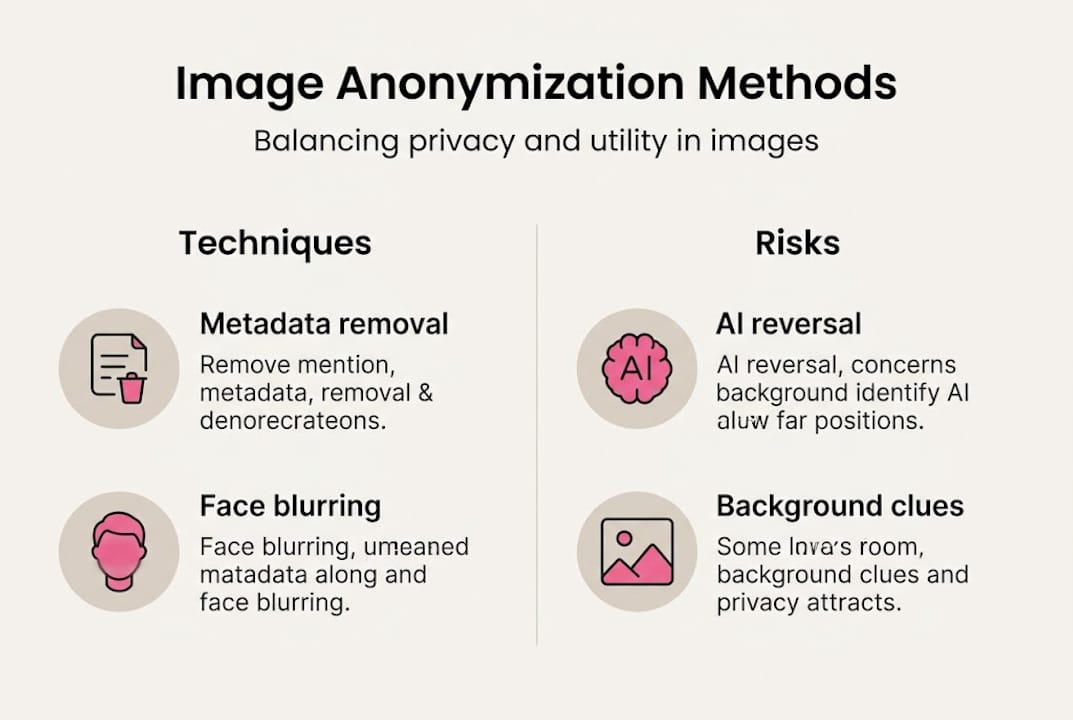
Traditional blur and pixelation are simple and fast but may not balance privacy and utility, especially as AI capabilities advance. What was considered secure anonymization two years ago may already be reversible today.
Pro Tip: Set a quarterly reminder to re-evaluate your anonymization tools. AI capabilities move fast, and a method that was secure in early 2025 may already be outdated by mid-2026.
Stay updated on anonymization effectiveness by following platform policy changes and privacy research. The creators who stay ahead are the ones who treat privacy as an ongoing practice, not a one-time setup. With these verification strategies, you can confidently post images. But what does a privacy expert see that is still missing?
A privacy expert's take: The uncomfortable truths of image anonymization in 2026
Here is what most anonymization guides will not tell you: the biggest vulnerability is not your tools. It is your assumptions.
Most creators assume that once an image is processed, it stays private. But re-identification risk is not static. What counts as "reasonably likely" re-identification shifts as AI capabilities improve and as more data becomes publicly available for cross-referencing. An image you anonymized correctly in 2024 may be re-identifiable today.
The second uncomfortable truth is that no single technique is permanent. GAN-based face replacement is currently the strongest option, but adversarial research is already probing its limits. The only reliable strategy is layering multiple techniques and updating your workflow regularly.
The third truth is about scale. The more content you publish across accounts, the more data points exist for pattern analysis. Even if each individual image is perfectly anonymized, the aggregate pattern of your posting behavior, image style, and timing can still link accounts together. Understanding and mitigating privacy risks means thinking about your content portfolio as a whole, not just individual images.
Continuous learning and combining techniques are your best protection. There is no finish line here, only an ongoing practice.
Connect with pro-level image anonymization solutions
You now have a solid framework for anonymizing images before posting across multiple accounts. But building and maintaining this workflow manually takes real time, especially when you are managing content at scale.

One2many.pics is built specifically for creators and marketers who need to move fast without sacrificing privacy. The platform strips metadata, generates unique visual variations, and helps you avoid duplicate detection across platforms, all from a single upload interface. Whether you are managing two accounts or twenty, it gives you the tools to stay consistent, private, and penalty-free. Check it out and see how it fits into your current workflow.
Frequently asked questions
Is blurring faces enough to anonymize images for social media?
No. Simple blur is reversible by AI, so you need irreversible techniques like large-block pixelation, solid fills, or GAN-based face replacement for real protection.
Do I need to remove metadata from every image before posting?
Yes. Embedded metadata can expose your source device and location even after all visual edits are complete, making metadata removal a non-negotiable first step.
Which anonymization method works best for faces?
GAN and diffusion model tools now outperform manual pixelation in both privacy protection and visual quality, making them the preferred choice for high-risk or public-facing content.
How do I check if my image is anonymized enough?
Run a reverse image search and use an EXIF viewer on the exported file. The ICO recommends robust risk assessment to confirm no identity links remain before public release.