

Keeping images private and untraceable during bulk posting is harder than it should be for creators and agencies managing multiple accounts. Many image privacy software tools either limit automation, neglect metadata and pixel-level cover, or restrict critical export integrations like Google Drive. This comparison reviews pricing, privacy layers, and workflow features across six direct alternatives so you can choose the best fit for secure, streamlined publishing without workflow gaps.
Table of Contents
one2many.pics
At a Glance
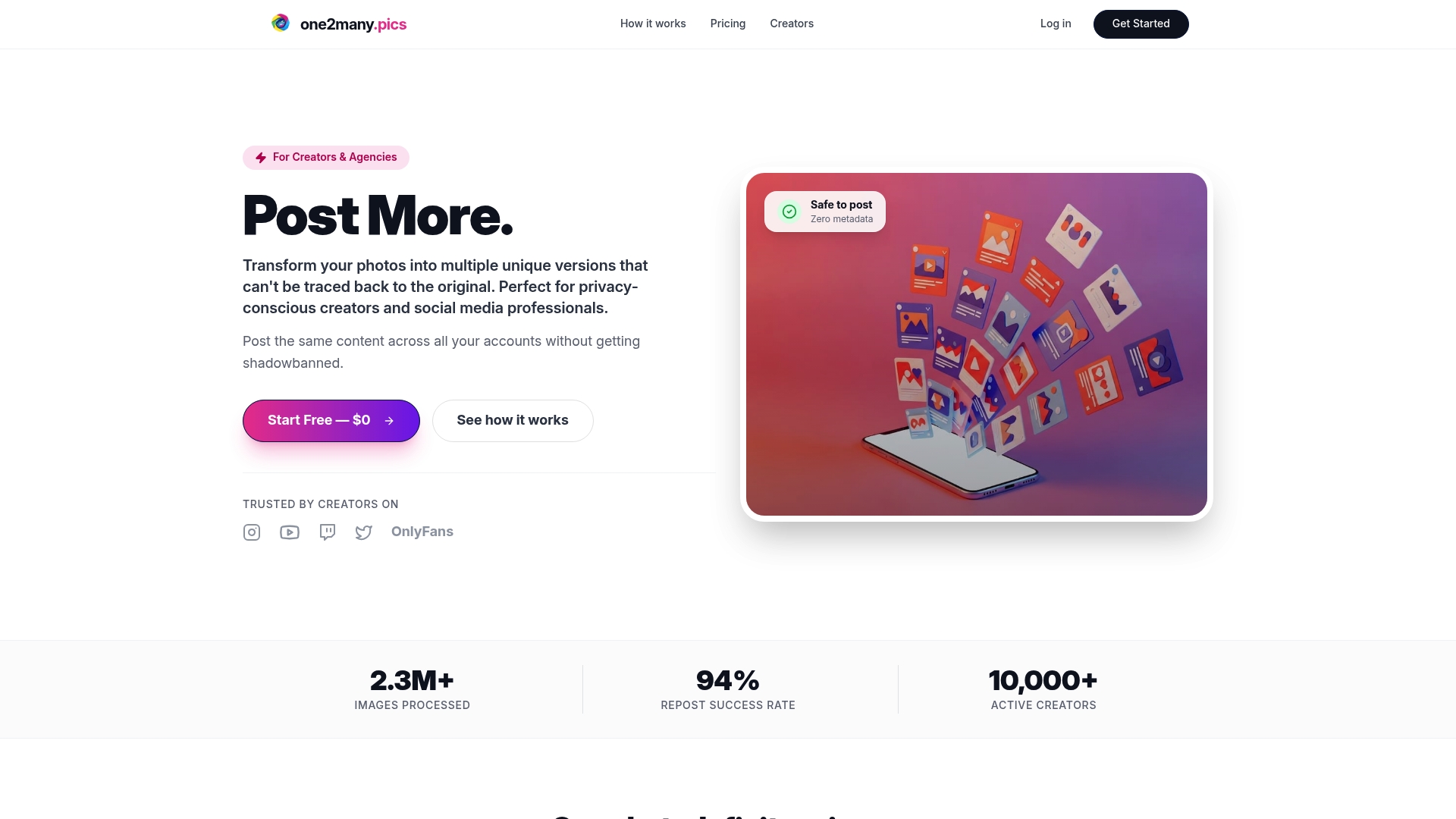
The vendor reports processing over 2.3 million images for more than 10,000 active creators, a scale that signals real-world use among multi-account creators. The product simplifies privacy steps into a short workflow most creators can learn in minutes.
Core Features
EXIF removal strips location, device, and timestamp metadata before export, so reposts do not carry hidden identifiers. The platform also performs visual image spoofing to produce images that look the same to followers but differ enough to avoid reverse-image matches.
Bulk and automated workflows let you queue thousands of images and run variations overnight. The Professional plan adds Google Drive integration and removes upload caps with unlimited image processing on that tier.
Key Differentiator
The core distinction is the ability to convert a photo into a visually identical but digitally unique file so it bypasses reverse-search and platform duplicate detection. That transformation combines metadata stripping with targeted pixel-level variation rather than cropping or heavy filters.
Pros
-
Allows safe reposting of the same creative across accounts without exposing original metadata, which helps protect account separation and reduces the risk of shadowbans.
-
Plans scale from single creators to agencies, so you can upgrade when account volume grows without changing tools or workflows.
-
Full EXIF removal plus spoofed visual variants produce both metadata and pixel-level differences, creating a two-layer privacy approach.
-
The onboarding path is short: a clear three-step flow—upload, choose variation settings, download—so teams can train contractors fast.
-
Professional plan automation supports bulk processing and pipeline exports, which saves manual repetition for campaign-heavy accounts.
Cons
- The free tier is limited to three images, which is restrictive if you want to test multiple settings or prepare a content batch before committing to a paid plan.
Who It's For
Privacy-conscious creators, social media managers juggling several accounts, and agencies that post identical campaigns across platforms without creating a traceable footprint. It fits teams that prioritize repost safety over advanced photo editing.
Unique Value Proposition
The Professional plan includes unlimited image processing and Google Drive integration, letting agencies plug processed files straight into existing asset workflows. For teams that batch-produce content, that pricing-feature pair turns manual export chores into automated pushes.
Real World Use Case
A social media manager for three local brands generates five variation sets per promotional image, then schedules them across accounts. Each post appears native to its account while avoiding platform duplicate detection, and the manager exports processed assets directly into Google Drive for schedulers.
Pricing
Creator starts at $2.99 per month for single creators. Growth is $49.99 per month for multiple accounts and increased throughput. Professional is $150 per month and adds unlimited processing, automation, and Google Drive integration. A free trial is available with three trial images and no credit card required.
Website: https://one2many.pics
MConverter
At a Glance
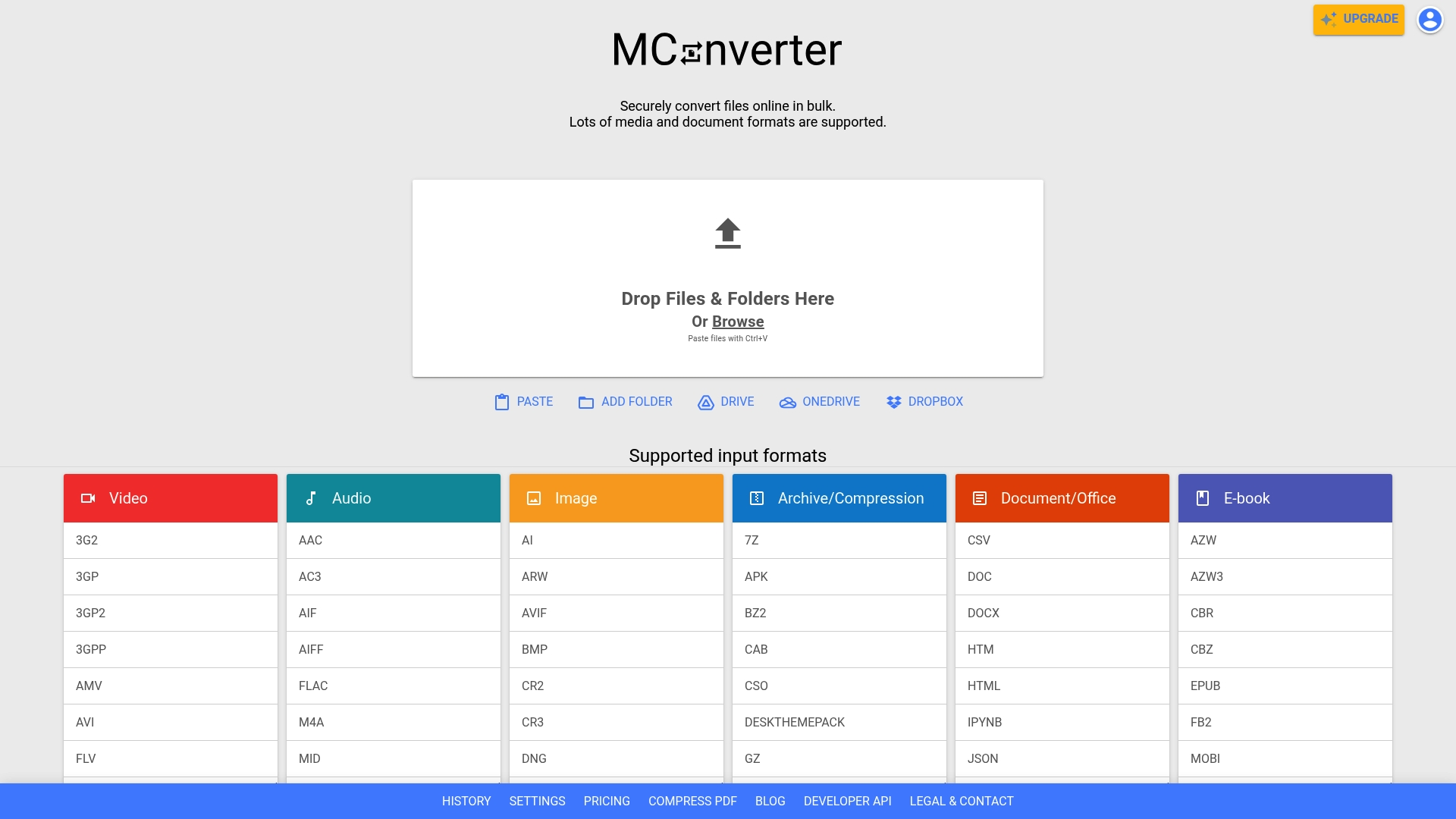
MConverter's marketing materials state it is trusted by millions globally and lists clients such as Google, NASA, and Nvidia. The platform combines bulk media and document conversion, a PWA and native apps, plus an API for automation in one web-accessible workflow.
Core Features
- Bulk file conversion across video, audio, images, documents, archives and more with folder-level support.
- Drag-and-drop and clipboard paste for quick input from local drives.
- Cloud storage access for Google Drive, OneDrive, and Dropbox plus browser extensions for Chrome, Edge, and Opera.
- OS integrations that let you convert from Windows Explorer, Finder, or mobile Share menus and a Progressive Web App for native feel.
Key Differentiator
What sets MConverter apart is the pairing of broad format support with explicit OS and file manager compatibility. That combination lets you convert from the file system directly while keeping conversion processes isolated under the platform's security protocols.
Pros
- The interface is straightforward and lets you queue large batches quickly without complex setup.
- Supports an unusually wide range of formats, so publishers and editors avoid juggling several single-purpose converters.
- Cloud integrations and direct OS hooks speed up workflows for remote teams and content pipelines.
- Security measures include process isolation and data deletion policies, which matter for regulated projects.
- The availability of a paid API and mobile apps makes automation practical for production environments.
Cons
- Some complex conversions produce formatting or output quality issues that require manual fixes.
- Advanced file size reduction options are limited; compression is the main lever offered.
- High compression scenarios can sacrifice fidelity, which will annoy projects requiring pristine masters.
- The privacy settings menu can be confusing for new users who want strict defaults.
When It May Not Fit
If you need lossless preservation for high-end video or archival imaging, MConverter's compression-first approach is a drawback. Teams requiring granular size reduction controls or advanced format parameter tuning will find manual post-processing necessary.
Notable Integrations
- Google Drive
- OneDrive
- Dropbox
- Chrome Extension
- Edge Extension
- Opera Extension
Who It's For
Individuals, content creators, and enterprise teams that need reliable bulk conversions and automation while keeping data on secure channels. Particularly useful for teams that pull files from cloud storage or want file manager level conversions.
Real World Use Case
A media production company uses the paid API to automate bulk video conversions for multiple client deliverables. Files are pulled from cloud storage, converted to client formats, and removed after processing to meet internal security rules.
Pricing
Free tier with limits on file size and daily conversions. Paid plans—Plus, Pro, and Max—raise limits and add API and advanced features for higher-volume users.
Website: https://mconverter.eu
SocialPilot
At a Glance
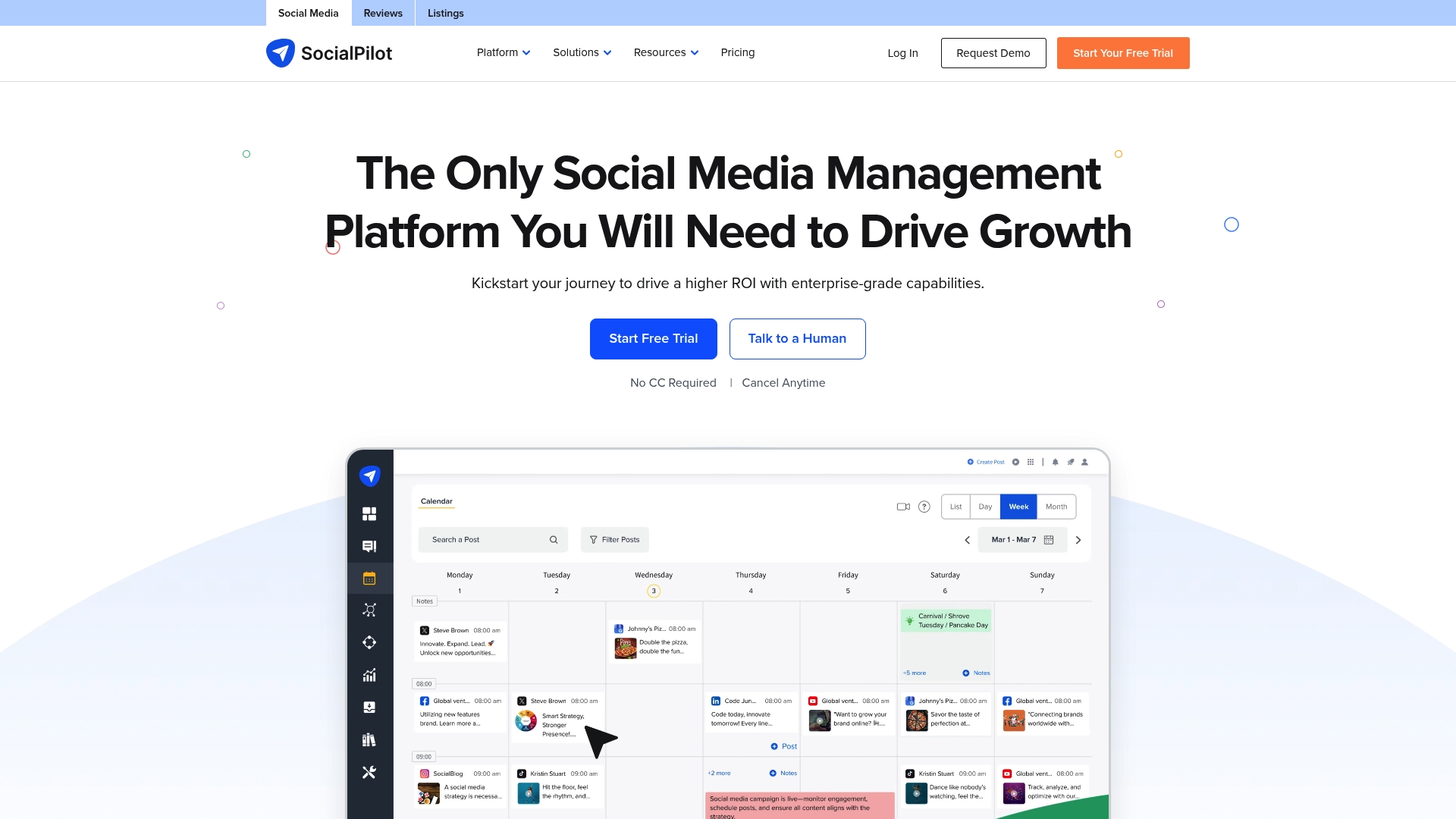
Starts at $20/month for the Essentials plan, with higher tiers and custom enterprise options for agencies that need white-labeling and branded reporting. The platform combines scheduling, reporting, and simple team workflows aimed at agencies and small marketing teams.
Core Features
- AI Pilot for content suggestions and caption drafts that speed up post creation.
- Bulk Scheduling via CSV uploads to queue large campaigns across many accounts.
- Content Library for pre-approved assets, plus a Social Media Content Calendar to plan publishing.
- Team Management tools that assign roles and centralize approvals.
Key Differentiator
SocialPilot pairs enterprise-capable features with agency-focused white-label options, making it a resale friendly tool for agencies that want branded dashboards and reports. It focuses on publishing and reporting rather than advanced ad management or deep analytics workflows.
Pros
- The interface is straightforward, which reduces training time for new hires and contractors.
- Publishing tools support multiple platforms and bulk uploads, so repeating campaigns scale without manual re-entry.
- Reporting covers engagement and post performance with exportable client reports.
- The vendor claims its customer support is trusted by thousands of users, which speaks to responsive help and onboarding resources.
Cons
- Approval workflows are less intuitive than some premium competitors, which can slow multi-approver signoffs.
- Analytics lack the depth some senior marketers need for attribution and cross-channel modeling.
- Social ad management is limited, so teams running heavy paid programs will still need a dedicated ad tool.
When It May Not Fit
If your team requires advanced ad buying, granular conversion attribution, or enterprise-grade approval gates, SocialPilot is likely too lightweight. Also avoid it if your marketing org relies on deep analytics models or bespoke integrations for reporting.
Notable Integrations
SocialPilot connects to major social platforms: Facebook, Instagram, TikTok, Twitter, LinkedIn, YouTube, Pinterest, and Google Business Profile. These native connections cover posting, basic analytics, and profile management across the networks listed.
Who It's For
Solo entrepreneurs, small marketing teams, and SMBs that need an affordable, easy-to-use scheduling and reporting tool. Agencies that want a white-labelable product for client reporting will find the platform a practical, lower-cost option.
Real World Use Case
According to the company, a digital marketing agency manages over 50 client accounts across Facebook, Instagram, and LinkedIn using SocialPilot to centralize scheduling, share client-ready reports, and reduce time spent on manual posting.
Pricing
Plans start at $20/month for the Essentials plan, with higher-tier subscriptions for agency features and white-labeling. Enterprise pricing is custom and typically quoted for larger seat counts or branded reporting needs.
Website: https://socialpilot.co
Canva
At a Glance
Canva folds AI powered content generation directly into a template-driven editor so teams can create visuals and short copy without leaving the canvas. The interface is built for speed, making quick campaign assets and social posts the primary workflow.
Core Features
- Vast template library covering social posts, presentations, print, and video formats.
- Drag and drop editing with simple layer controls and resizing handles for rapid layout changes.
- Team collaboration tools for comments, shared folders, and real time coediting.
- AI powered tools for generating images, suggesting layouts, and rewriting short captions.
- Export options for both digital and print formats with preset dimensions.
Key Differentiator
The platform combines approachable templates with AI features so non designers produce polished, on brand assets quickly. That focus on speed and accessibility sets it apart from tools aimed at pixel perfect control and from privacy-first services like One2many, which target image variation and metadata removal rather than rapid multiformat design.
Pros
- Extremely easy onboarding. New contributors start editing templates and exporting assets within minutes rather than days.
- Large media library. The stock photos, videos, and elements reduce the need to source assets elsewhere for most social and marketing work.
- Collaboration feels native. Shared folders and comment threads keep feedback tied to specific designs instead of scattering requests across email.
- Fast iteration flow. Draft a post, apply an AI suggestion, and export in under five minutes for typical social creative cycles.
- Multi format output. You can resize a single design into story, post, and slide formats with a few clicks.
Cons
- Limited precision for professional designers. Vector handling and advanced masking lack the fine control found in dedicated desktop editors.
- Performance can slow on complex projects with many elements and large uploads, which disrupts fast turnaround work.
- Some collaboration features scale poorly for large teams. Permissions and workspace organization can become confusing without a librarian role.
- Numerous premium assets and features sit behind paid plans, making occasional users face rising costs over time.
When It May Not Fit
If your team needs ultimate pixel control, advanced vector editing, or production ready prepress workflows, Canva will feel constraining. Also, organizations that must process very large files or run multi layer print jobs will encounter performance limits and may need desktop tools instead.
Notable Integrations
- Google Drive for asset import and saving.
- Slack and Microsoft Teams for notification and review workflows.
- YouTube for direct video publishing and media pulls.
- Generic cloud storage connectors for large file access.
Who It's For
Solo creators, marketers, educators, and small teams that prioritize speed over granular control. If your primary goal is rapid, on brand social content or simple print collateral with minimal design overhead, Canva matches that workflow closely.
Real World Use Case
A three person marketing team uses Canva to produce a week of social posts. They select templates, apply brand colors, use the AI tool to refine captions, and export assets sized for Instagram, Facebook, and Stories in a single session. Approval cycles shrink and publish schedules stay on track.
Website: https://canva.com
Comparative Analysis of Image Privacy Software Options
For creators and agencies managing multi-platform campaigns, image privacy software serves as a cornerstone for ensuring data security and content protection. Comparing the capabilities of various providers reveals distinct strengths tailored to different user needs.
Privacy Protection Features
one2many.pics excels in offering data security through its combined approach to EXIF removal and pixel-level variation for bypassing reverse-image searches. Conversely, MConverter adopts process isolation as part of its security measures but primarily focuses on file format flexibility over in-depth privacy capabilities. For users prioritizing transformation of media files without compromising on privacy details, one2many.pics demonstrates a more targeted approach.
Workflow Efficiency
Streamlining content production is central to both one2many.pics and Canva, though their aims differ. Canva prioritizes quick design and campaign creation with its template-driven editor, whereas one2many.pics focuses on providing bulk automation for privacy-conscious use. Marketing teams need to evaluate whether content creation speed or privacy workflow enhancement is more aligned with their goals.
Best Fit Scenarios
- Use one2many.pics if your priority is safeguarding visual metadata across reposting scenarios while retaining a professional look.
- Choose Canva when efficiency in producing branded content is essential and image privacy is a lesser concern.
- Select MConverter for projects involving diverse file formats and requiring integration with file storage systems for organization-wide conversion tasks.
Our Pick
one2many.pics emerges as the choice for users necessitating a combination of security and efficiency in managing content reposting across accounts. While competitors address niche needs effectively, those specializing in secure content handling for privacy-focused campaigns will find the tool's offerings indispensable. For straightforward content styling or format conversions, exploring alternatives may yield greater simplicity or flexibility.
Comparison of Image Privacy Software
For creators and professionals prioritizing secure and efficient image privacy enhancement, the following table provides an overview of top software solutions to aid in feature comparison.
| Product | Core Feature | Key Differentiator | Best For | Notable Limitation | Pricing |
|---|---|---|---|---|---|
| one2many.pics | EXIF removal and visual image spoofing | Metadata stripping and pixel-level file variations | Privacy-conscious creators and agencies | Free tier limits to three trial images | Free tier, paid from $2.99/month |
| MConverter | Bulk media conversion across multiple formats | Integration with OS and file managers | Teams needing diverse format conversions | Limited advanced compression and some format quality issues | Free tier, paid plans available |
| SocialPilot | Social media content scheduling and reporting | Affordable, white-label reporting for smaller agencies | Solo entrepreneurs and small advertising teams | Less intuitive approval workflows compared to competitors | Plans start at $20/month |
| Canva | Rapid graphic design on predefined templates | Integration of AI tools with intuitive on-brand asset creation | Creators needing quick, polished designs | Limited control for advanced vector and large-scale print projects | Free tier, paid from $12.95/month |
By examining the above dimensions, users can determine the best choice for their specific image privacy software needs.
Protect Your Visual Content Privacy with One2many
If you are searching for trustworthy 432p.com alternatives that let you post across multiple social accounts without risking platform penalties, One2many delivers a smart solution built for creators and agencies. One2many transforms your original images into unique versions by removing metadata like location and device info while creating subtle visual variations to avoid duplicate detection or shadowbanning. This means you can confidently share content across accounts without compromising privacy or traceability.

Discover how One2many.pics empowers you with a simple upload process, customizable variation settings, and secure downloads designed to keep your content safe and your accounts protected. Don't wait to safeguard your posts and scale your social management efficiently. Visit One2many now and start creating multiple private visual variants to prevent duplicate detection on your networks.
Frequently Asked Questions
What features make One2many suitable for protecting image privacy?
One2many offers EXIF removal, which strips location, device, and timestamp metadata before export, ensuring safe reposting. This feature helps creators avoid exposing original metadata, protecting account separation and reducing the risk of shadowbans. For creators focused on maintaining privacy, One2many is a clear choice due to its two-layer privacy approach.
How does One2many compare to MConverter in terms of bulk processing?
MConverter supports bulk file conversion across various formats, which is beneficial for users needing a wide range of file transformations. While MConverter excels at handling bulk conversions for many file types, One2many specializes in processing visually identical but digitally unique images specifically for privacy-focused applications. Teams that prioritize image privacy while managing multiple accounts may find One2many to be the better fit.
Which platform offers automation for image processing?
The Professional plan of One2many includes unlimited image processing and supports automated workflows for bulk image variations. This capability is particularly useful for agencies that produce a high volume of content, allowing for streamlined processing of thousands of images overnight. Agencies looking for automation in image privacy will benefit from this feature in One2many.
Can I use One2many if I only need to process a few images?
One2many’s free tier is limited to three images, which may be restrictive for those wanting to test multiple settings before committing. However, it simplifies privacy steps into a short workflow that even new users can grasp quickly, making it a good entry point for exploring its features before upgrading.
What is the pricing structure for One2many?
One2many offers a Creator plan starting at $2.99 per month for individual creators and scales up to $150 for the Professional plan, which adds features like unlimited processing and automation. This tiered pricing allows for flexibility as users scale their needs, making it attractive for various creators and agencies.