

Scaling your visual content output sounds like a growth win until your accounts start getting flagged, your images get traced back to their source, or a platform quietly buries your posts. The risks are real: duplicate image detection, exposed EXIF metadata, and shadowbanning can undo weeks of work overnight. But scaling visual posting is not optional for serious creators and marketing teams, it is the only way to stay competitive across multiple platforms and accounts. This guide walks you through preparation, workflow design, privacy protection, and performance verification so you can grow without giving up your security or your reach.
Table of Contents
- Assess requirements for visual content scaling
- Set up workflows to maximize efficiency
- Safeguard privacy and prevent platform penalties
- Verify posting success and optimize for future scale
- A fresh perspective on scaling visuals without risk
- Scale your visual posting securely with one2many.pics
- Frequently asked questions
Key Takeaways
| Point | Details |
|---|---|
| Preparation matters | Careful planning and tool choice are essential before scaling visual posting. |
| Efficiency needs workflow | Structured workflows and automation speed up posting while reducing errors. |
| Privacy can't be skipped | Anonymizing and securing images prevents bans and protects content creators. |
| Continuous verification | Regular auditing of posts helps maintain success at scale and avoid setbacks. |
Assess requirements for visual content scaling
Before you touch a single tool or upload a single image, you need to know exactly what you are scaling. Jumping straight into bulk posting without a clear content plan is one of the most common mistakes agencies make. Preparation is essential for consistent, efficient content output at scale, and that starts with defining your goals.
Ask yourself: are you scaling for multiple brand clients, a product launch campaign, or recurring daily posts across several accounts? Each scenario demands a different volume, cadence, and asset structure. A campaign with 10 product images needs a completely different setup than an agency managing 20 client accounts simultaneously.
Next, assess your volume requirements. How many posts per week, across how many platforms, and with what level of visual variation? Platforms like Instagram, TikTok, and Pinterest each have different image specifications and content expectations. Mapping this out upfront saves you from painful rework later.
Team structure matters too. Are you a solo creator or part of a marketing team with stakeholders who need to approve content? Your answer determines how much automation you need and whether you require role-based access in your tools.
Here is a quick comparison of what to evaluate before choosing your content tools:
| Factor | Solo creator | Agency/team |
|---|---|---|
| Post volume | Low to medium | High |
| Accounts managed | 1 to 3 | 5 or more |
| Automation need | Optional | Essential |
| Privacy tools needed | Basic | Advanced |
| Team collaboration | Not required | Required |
When evaluating tools, prioritize platforms that support batch uploads, metadata removal, and integration with your scheduling software. Check out this social media security guide to understand what security features your toolset should cover from day one.
Key questions to answer during your assessment:
- Which platforms are you targeting, and what are their image uniqueness requirements?
- How frequently do you need to post, and can you batch-produce content in advance?
- Do you need image variation capabilities, or is metadata removal enough?
- Who on your team handles privacy compliance?
Pro Tip: Map out a simple content calendar for at least four weeks before selecting any tool. Seeing your real volume needs on paper often reveals gaps in your current workflow and helps you avoid over-investing in features you do not actually need.
Set up workflows to maximize efficiency
With tools and requirements defined, the next critical step is designing workflows that make scale actually manageable day-to-day. Without repeatable processes, even the best tools become bottlenecks.

Automated workflows can reduce manual errors and speed up content production significantly. The goal is to remove human decision-making from repetitive steps so your team can focus on strategy and creativity instead.
Start by batch processing your images. Use editing software that lets you apply consistent presets across hundreds of images at once. Consistent cropping, color grading, and branding elements should never require individual image-by-image attention.
Create a template library for each platform and content type. A library of approved layouts, font treatments, and brand color overlays means any team member can generate on-brand visuals without starting from scratch. This alone can cut content production time by 40 to 60 percent for most teams.
Here is a simple step-by-step workflow for scaling visual posting effectively:
- Define content batches by campaign or platform at the start of each week.
- Apply presets and templates during a single batch editing session.
- Run all images through a privacy and anonymization tool to strip metadata and generate unique visual variants.
- Upload processed assets to your scheduling software.
- Set publishing times based on platform-specific peak engagement windows.
- Archive processed originals and variants in clearly labeled folders for future audits.
Compare these two approaches to see why automation matters at scale:
| Workflow type | Time per 50 images | Error rate | Privacy coverage |
|---|---|---|---|
| Manual | 6 to 10 hours | High | Often missed |
| Automated | 30 to 60 minutes | Low | Consistently applied |
Pro Tip: Keep your template library in a shared, version-controlled folder so every team member always pulls from the most current approved assets. Outdated templates are a surprisingly common source of off-brand posts.
Safeguard privacy and prevent platform penalties
With your workflow set, it is vital to address privacy at each step to avoid setbacks and lasting account consequences. Platforms are increasingly sophisticated at detecting duplicate and traceable content, and the penalties range from reduced reach to outright bans.
The three biggest privacy risks in visual posting are EXIF metadata, watermarking, and visual fingerprinting. EXIF data embedded in image files can expose your device model, GPS location, and the exact timestamp of a shot. Platforms and bad actors alike can extract this data. Traceable images can cause privacy loss and lead to bans, especially when the same image signature appears across multiple accounts.
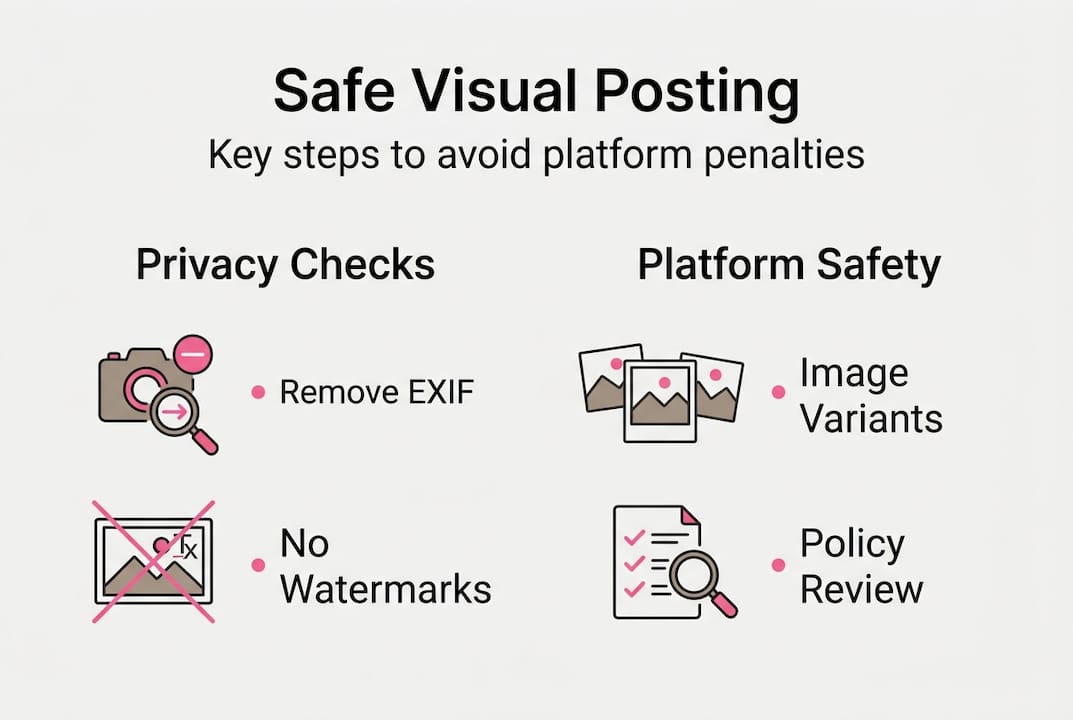
Watermarks are another silent threat. Even invisible or low-opacity watermarks can be algorithmically detected, tying images back to their source or creating duplicate flags across accounts.
Best practices to protect your visual content at scale:
- Strip all EXIF metadata from every image before posting, including GPS data, device info, and timestamps.
- Use untraceable social media images tools that generate unique image variants, not just renamed copies.
- Diversify your visual output by rotating compositions, crops, color tones, and aspect ratios across posts.
- Apply privacy checks at the batch level, not just for individual high-risk posts.
- Assign one team member as the privacy compliance lead for each campaign.
Warning: Platforms including Instagram and TikTok use hash-based duplicate detection. Posting the same image file even slightly modified without altering its underlying signature can trigger automated content suppression or account review. Never assume a simple resize is enough.
Statistic callout: According to creator community reports, a significant portion of shadowban cases on major platforms are linked to repeated use of identical or near-identical image hashes across multiple accounts. The risk scales directly with your posting volume.
Coordinating privacy across teams requires clear documentation. Create a one-page privacy checklist every team member uses before any batch goes live. Use social media privacy tips as a reference to build that checklist around current platform policies.
Verify posting success and optimize for future scale
Ensuring privacy and compliance is not the finish line. Continuous checking and refining keeps your scaled approach intact over time. Many teams build solid workflows and then stop checking whether those workflows are still working. That is where things quietly fall apart.
Regular verification of visual posting performance is key to sustained growth and platform safety. You need to measure both the performance side and the compliance side simultaneously.
What to track:
- Engagement rates per platform and per content type to spot drops that suggest suppression.
- Reach trends, especially sudden declines that may signal shadowbanning.
- Duplication errors or platform warnings in your account health dashboards.
- Any account flags, reduced distribution notices, or temporary restrictions.
Here is a four-step verification process to run at least weekly:
- Pull engagement and reach data for all visual posts from the past seven days.
- Check platform account health sections for any content warnings or policy flags.
- Run a random sample of five to ten recently posted images through a metadata checker to confirm EXIF data was fully stripped.
- Compare image hash signatures on posts shared across multiple accounts to verify uniqueness.
Quick optimizations to improve efficiency and safety over time:
- Update your template library whenever platform image specs change.
- Rotate the tools or presets used for image variation to stay ahead of detection algorithms.
- Review your content calendar monthly to identify repetitive visual patterns that could trigger duplication flags.
- Document every platform warning and its likely cause to build an internal knowledge base.
Pro Tip: Build your four-step verification process directly into your weekly content calendar as a recurring task. When verification has a scheduled slot, it stops being something you do only when something goes wrong, and starts being the reason things rarely go wrong.
A fresh perspective on scaling visuals without risk
Here is something most guides do not say directly: the teams that consistently avoid platform penalties are not the ones with the most sophisticated tools. They are the ones where privacy has become a habit, not a hurdle.
Speed and scale create pressure to cut corners. When a campaign goes live and volume spikes, privacy steps are often the first thing skipped because they feel like overhead. But that thinking gets it backwards. Privacy shortcuts at scale multiply risk, not reduce it.
The creators who build lasting multi-account strategies treat verification like brushing their teeth. It is not glamorous, but skipping it has consequences that compound fast. A long-term security strategy is not about having a tool; it is about the team culture around using it consistently.
The competitive edge in visual content scaling does not come from posting more. It comes from posting more without triggering detection, suppression, or privacy exposure. That edge is cultural before it is technical.
Scale your visual posting securely with one2many.pics
Putting these steps into practice is much faster when your tools are built specifically for what you are trying to do. One2many.pics was designed exactly for creators and teams who need to scale visual content across platforms without leaving a traceable footprint.

The platform strips EXIF metadata automatically, generates unique image variants from your originals, and gives you secure download options so your workflow stays clean from start to finish. Whether you are managing one account or fifty, try one2many.pics to see how privacy-first image processing fits directly into the workflow steps covered in this guide. It is the missing layer that makes your scaled posting both efficient and genuinely safe.
Frequently asked questions
What is the biggest risk when scaling visual posts across social media?
The primary risk is exposing private data or creating traceable image patterns that trigger platform penalties. Traceable images can cause privacy loss and lead to bans across multiple accounts simultaneously.
How can I automate visual content while keeping it unique?
Use batch editing, templating, and privacy tools that randomize image signatures and remove metadata before posting. Automated workflows help prevent replication errors and privacy exposure at scale.
How often should I verify my scaled visual posts for privacy and penalties?
Audit your visual content at least weekly, checking both platform account health dashboards and metadata compliance on recent posts. Regular verification ensures ongoing growth and platform safety over the long term.
What tools support untraceable mass visual posting?
Look for privacy-first solutions that automate metadata removal and generate visually distinct image variants from your originals. One2many.pics enables scalable, untraceable image posting built specifically for professional content teams.