

Automated image processing is the use of computer algorithms to analyze, enhance, and extract information from images without manual intervention. The standard industry term is digital image processing, and it forms the foundation of every modern visual content workflow. Where a creator once spent hours resizing, tagging, and editing photos one by one, image processing automation now handles those tasks in seconds. Platforms like One2many, tools like Cloudinary, and local solutions like Ashim have made this technology accessible to marketers and creators who need to scale visual output without sacrificing quality or privacy.
What are the key methods behind automated image processing?
Digital image processing transforms raw pixel data through algorithms to enhance images or extract features, serving as the foundation for computer vision. Every automated pipeline follows a predictable sequence of steps, and understanding that sequence helps you choose the right tools for your specific workflow.
The core stages of image processing automation are:
- Image acquisition: Capturing or ingesting raw image files from cameras, uploads, or APIs
- Preprocessing: Correcting exposure, noise, and color balance to standardize input quality
- Enhancement: Applying filters, sharpening, or contrast adjustments to improve visual clarity
- Segmentation: Dividing an image into regions, such as separating a subject from its background
- Feature extraction: Identifying objects, faces, text, or patterns within the image
- Classification: Labeling the image or its components based on extracted features
Traditional methods relied on fixed rules, like "flag any image where brightness exceeds a threshold." AI-powered techniques use convolutional neural networks (CNNs) to perform automated feature extraction without manual rule-setting, enabling contextual understanding at scale. This shift matters because CNNs learn from data rather than following rigid instructions, which means they handle complex, real-world images far more reliably than older rule-based systems.
Common tasks built on these techniques include optical character recognition (OCR), background removal, object detection, and image classification. AI reduces manual processing from hours to near-instant automated extraction, which is the single most compelling efficiency argument for adopting these tools.

Pro Tip: Transfer learning lets creative teams customize pre-trained AI models with minimal data, so you can adapt a general object-detection model to recognize your specific product catalog without needing a machine learning team.
How does automated image processing benefit digital content creators?
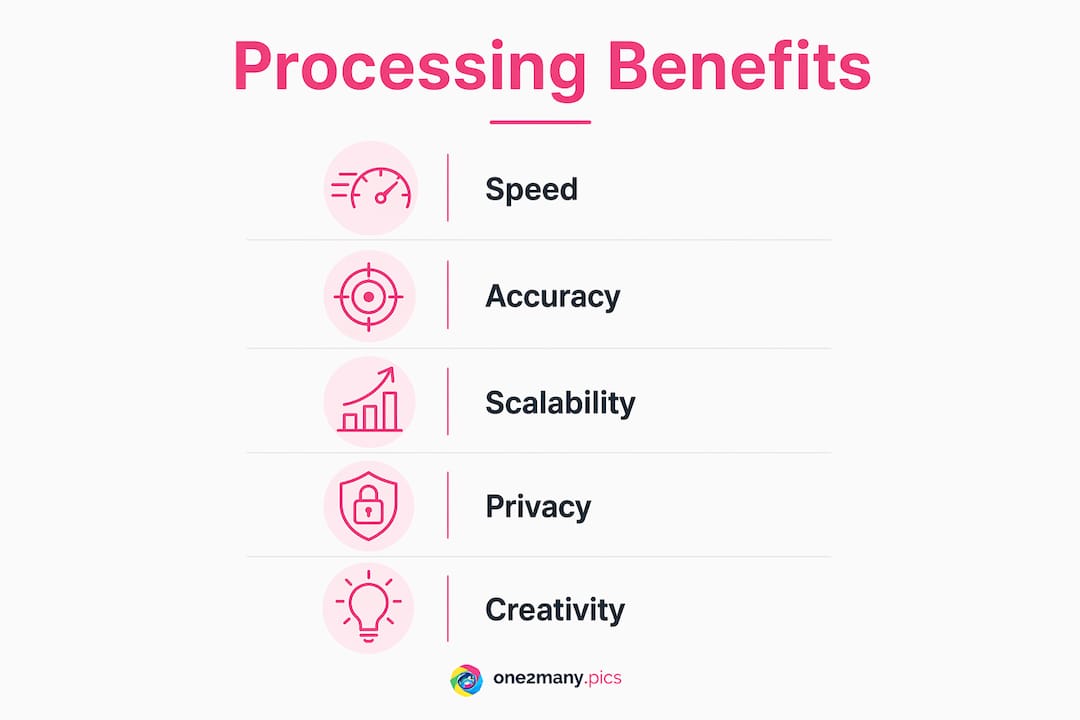
Automation eliminates costly manual bottlenecks in large-scale media operations, freeing creators and marketers to focus on strategy and storytelling instead of repetitive editing. The practical benefits extend across every stage of a content operation.
- Reduced editing time: Batch processing handles resizing, color correction, and format conversion across hundreds of images simultaneously, cutting production time from hours to minutes
- Consistent quality: Automated rules apply the same enhancement standards to every image, eliminating the variation that comes from manual editing across multiple team members
- Metadata tagging at scale: Automated image analysis extracts structured metadata with confidence scores, enabling threshold-based decisions like automatic content moderation without human review of every file
- Unique visual variations: AI-based enhancements and transformations generate multiple distinct versions of a single source image, which is critical for creators posting across multiple platforms or accounts
- CMS and MarTech integration: Processed images feed directly into content management systems, product information management (PIM) platforms, and marketing tools, removing manual upload steps entirely
The metadata point deserves special attention. Systems that provide confidence scores allow automatic blocking of images with detected restricted content based on thresholds. For a marketing team managing a library of thousands of product photos, that capability replaces an entire moderation workflow. Pair that with smart metadata strategies and your media library becomes searchable, sortable, and publishable without manual intervention.
The creative freedom argument is equally strong. When automated image enhancement handles the technical work, creators spend their time on composition, narrative, and brand consistency. That reallocation of effort is where automation delivers its highest return.
What are the privacy risks in cloud-based image processing?
Cloud-based image processing sends your files to third-party servers for analysis and transformation. For creators managing sensitive client content, personal photography, or proprietary brand assets, that transfer creates real exposure. Data leakage, unauthorized access, and platform telemetry are not theoretical risks. They are documented concerns that privacy-conscious creators actively work to avoid.
The comparison between cloud and local processing is direct:
| Feature | Cloud processing | Local processing |
|---|---|---|
| Data location | Third-party servers | Your own device or server |
| Privacy risk | High (data leaves device) | Low (no external transfer) |
| Setup complexity | Low (browser-based) | Moderate (Docker or GPU required) |
| Batch capacity | Scales with subscription | Hardware-limited |
| Compliance control | Dependent on provider | Full data sovereignty |
Local-first tools process batches of 200 or more images using WebAssembly or Docker, with no data leaving the device and no account required. That architecture is a genuine alternative to cloud dependency for creators who prioritize data control. Tools like Ashim run as a single Docker container with 45 or more image tools, including background removal, upscaling, and OCR, all executed on user hardware without telemetry.
GPU acceleration is the trade-off. Local AI processing requires a capable graphics card to match cloud speeds. That shifts cost to hardware rather than subscription fees, which is a worthwhile exchange for teams handling confidential content. For a deeper look at your options, the types of image privacy tools available in 2026 range from browser-based strippers that remove EXIF metadata to full local AI suites.
Pro Tip: If you are not ready to self-host, look for platforms that process images in-browser using WebAssembly. These tools never send your files to a server, giving you cloud convenience with local privacy.
How can creators build efficient automated image workflows?
Workflow design is where most creators leave efficiency on the table. The tools exist. The bottleneck is almost always upstream: inconsistent file naming, missing metadata, or no standardized ingestion process. Effective automated workflows require standardized ingestion and metadata strategies to avoid bottlenecks, because automation is ineffective when the input data is inconsistent.
Build your workflow in this sequence:
- Ingestion: Define a single intake point for all image files. Use consistent naming conventions (date, project, sequence number) and enforce file format standards before any processing begins.
- Metadata tagging: Apply automated tagging immediately after ingestion. AI-based analysis assigns keywords, detects objects, and extracts technical data like resolution and color profile. This step makes every downstream task faster.
- Processing: Run your transformation pipeline. This is where resizing, background removal, watermarking, color grading, and format conversion happen. Node-based workflow tools like DIPLO chain these steps into reusable recipes, so a sequence of resize, filter, and watermark runs automatically every time without manual setup.
- Quality verification: Set automated rules to flag images that fall outside acceptable parameters. Confidence scores from AI analysis trigger holds for human review only when necessary, keeping the pipeline moving.
- Publishing: Connect your processed image library directly to your CMS, social scheduler, or ad platform. Workflow automation platforms use low-code and no-code interfaces to link image processing outputs with marketing tools using plain-language instructions, no developer required.
Reusable pipelines are the compounding asset of this approach. Once you build a recipe for your Instagram content (crop to 1:1, enhance contrast, strip metadata, export as JPEG at 85% quality), that recipe runs on every future batch. The cognitive load of managing assets drops significantly, and your output volume scales without adding headcount. For creators managing bulk image processing, this pipeline architecture is the difference between a scalable operation and a manual grind.
The integration layer matters as much as the processing layer. Connecting your image pipeline to a PIM or CMS means processed assets are immediately available for publishing without a manual transfer step. That connection is where image processing automation becomes a genuine business system rather than just a faster editing tool.
Key takeaways
Automated image processing works because it combines AI-driven analysis, reusable pipeline architecture, and privacy-conscious design to replace manual editing at scale.
| Point | Details |
|---|---|
| Core definition | Digital image processing uses algorithms to enhance, analyze, and classify images without manual steps. |
| AI advantage | CNNs and transfer learning enable scalable, accurate feature extraction that fixed rules cannot match. |
| Privacy trade-off | Local processing tools like Ashim preserve data sovereignty but require GPU hardware for performance. |
| Workflow foundation | Standardized ingestion and metadata tagging prevent bottlenecks before automation can deliver value. |
| Creator benefit | Reusable pipelines cut production time and free creators to focus on strategy over repetitive editing. |
The shift I keep watching in automated image workflows
The most significant change in 2026 is not the processing speed. It is the move from reactive editing to agentic workflows, where the system anticipates the next step rather than waiting for a human trigger. I have watched creative teams go from spending 40% of their week on image prep to running fully automated pipelines that ingest, tag, process, and publish without a single manual upload. That is not an incremental improvement. It is a structural change in how content operations work.
What I find most creators get wrong is treating automation as a replacement for creative judgment. It is not. The best workflows I have seen use automation to handle everything that does not require taste, and reserve human attention for the decisions that do. Composition, brand voice, and audience resonance still need a person. Resizing, metadata stripping, and format conversion do not.
The privacy dimension is where I think the industry is still catching up. Most creators default to cloud tools because they are easier to set up, without fully considering what they are sending to third-party servers. Local-first tools have improved dramatically. The setup friction is real but manageable, and the data control you gain is worth the one-time configuration effort. If you are posting across multiple accounts or managing client content, that control is not optional. It is a professional responsibility.
The creators who will scale most effectively are the ones building standardized, reusable pipelines now, before their content volume forces the issue. Retrofitting automation onto a chaotic asset library is far harder than building the system correctly from the start.
— one2many.pics
Scale your visual content with One2many
One2many is built specifically for creators and marketers who need to produce unique image variations at scale without exposing their digital footprint.

The platform automates the transformation of original images into multiple distinct versions by removing identifying metadata (location, device info, timestamps) and generating visual variations that pass duplicate detection on social platforms. Upload your source image, configure your variation settings, and download privacy-cleaned files ready for multi-account publishing. For teams managing bulk workflows, One2many's subscription plans include batch processing and workflow integrations that connect directly to your publishing stack. Visit One2many to explore the tools and see how automated image processing fits your content operation.
FAQ
What is automated image processing?
Automated image processing is the use of computer algorithms to analyze, enhance, segment, and classify images without manual intervention. It combines traditional pixel-level techniques with AI methods like CNNs and OCR to handle tasks at a scale no human editor can match.
How does automated image analysis differ from manual editing?
Manual editing applies changes one image at a time based on human judgment. Automated image analysis extracts structured data and applies transformations across entire libraries simultaneously, using confidence scores and rule-based thresholds to maintain consistency.
What are the privacy risks of cloud-based image processing?
Cloud processing sends your files to third-party servers, creating exposure to data leakage and unauthorized access. Local-first tools like Ashim process images on your own hardware with no telemetry, giving you full data sovereignty.
Can non-developers build automated image workflows?
Yes. Low-code and no-code platforms use plain-language instructions and node-based interfaces to chain processing steps into reusable pipelines. Tools like DIPLO let creators build resize, filter, and watermark sequences without writing a single line of code.
Why does metadata matter in image processing automation?
Metadata tagging immediately after ingestion makes every downstream task faster and more accurate. Automated systems assign keywords, detect objects, and extract technical data that feeds content moderation, search, and publishing workflows without human review of individual files.