

Most people assume bulk image processing is just about saving time. Upload a hundred photos, get a hundred resized files back, done. But if that's all you're using it for, you're leaving serious value on the table. For digital content creators and marketers, the reasons why bulk processing images matters go well beyond speed. We're talking about privacy protection, platform safety, brand consistency, and the ability to scale social media content without triggering duplicate detection or shadowbanning. This article breaks down what bulk image processing actually does, why it should be a core part of your workflow, and how to do it without creating new problems along the way.
Table of Contents
- Key takeaways
- Why bulk processing images is more than a time saver
- Privacy risks hiding in cloud-based batch processing
- Using batch processing to diversify social media content safely
- Technical pitfalls and how to avoid them
- My honest take on bulk processing as a workflow skill
- How One2many handles this for you
- FAQ
Key takeaways
| Point | Details |
|---|---|
| Bulk processing saves real time | Processing hundreds of images simultaneously cuts hours of manual editing down to minutes. |
| Speed affects revenue directly | A 1-second delay in page load reduces conversions by 7%, making bulk optimization non-negotiable. |
| Cloud tools carry privacy risks | Local, no-upload processing keeps your image files and metadata off third-party servers entirely. |
| Batch tools prevent platform penalties | Consistent formatting across social media variants reduces the risk of errors that lead to account suppression. |
| Quality requires testing | Aggressive compression or wrong color profiles in batch jobs cause widespread degradation across every exported file. |
Why bulk processing images is more than a time saver
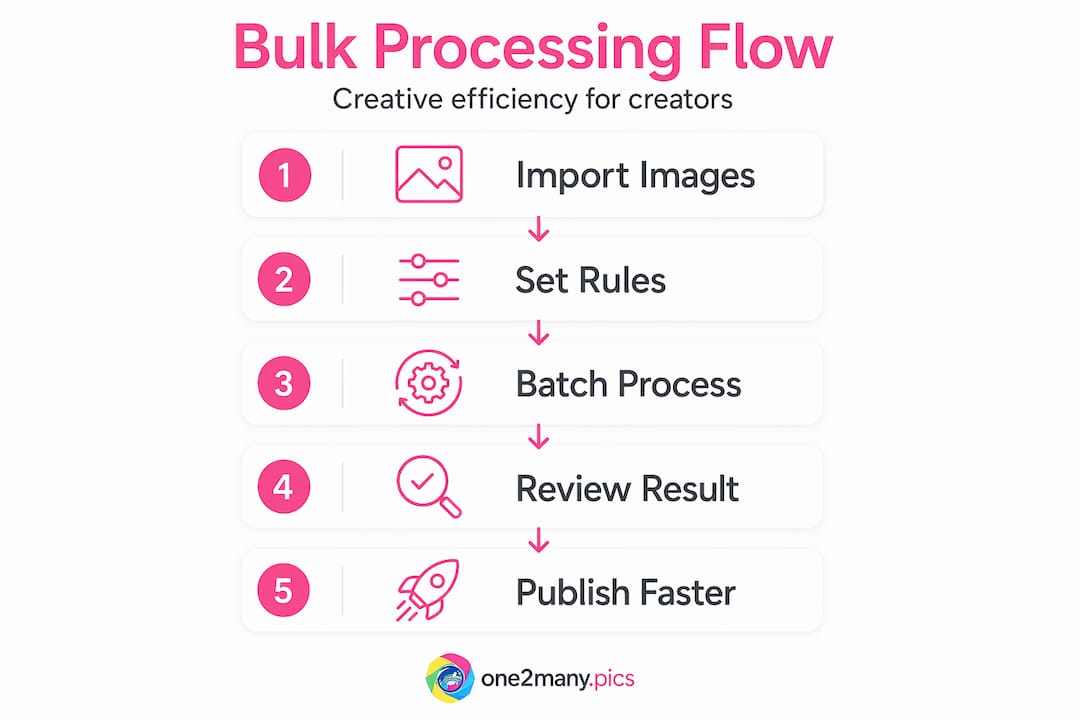
The core definition of bulk image processing is straightforward: you apply one set of instructions to many images at once instead of editing each file individually. Resize, compress, reformat, strip metadata, apply filters. One rule set, hundreds of files, one operation. That's what is bulk image processing at its most basic.
But the actual value goes deeper. Here's what bulk processing consistently delivers for content-heavy workflows:
- Time savings at scale. Processing hundreds of product images or social media assets simultaneously frees up hours every week. What takes an hour manually takes seconds with a batch tool.
- Improved page performance. Bulk image optimization directly improves site speed, and that matters more than most people realize. A one-second page load delay reduces conversions by 7%, which compounds dramatically for pages with dozens of images.
- Consistent output quality. Every image exits the pipeline with the same dimensions, file size range, compression level, and color profile. No more inconsistencies from manual editing where you eyeballed the settings on image number 47.
- Automation that removes human error. Manual processing means manual mistakes. Batch workflows apply rules identically, every time, which eliminates the kind of small errors that add up fast across large campaigns.
The benefits of bulk image processing aren't just operational. They're strategic. A faster site means better SEO rankings and higher conversion rates. Consistent image quality means a more professional brand appearance. Less manual work means your team focuses on creative decisions instead of repetitive tasks.
Tools like Adobe Photoshop's Image Processor have been offering batch conversion and resizing for years, applying uniform quality settings, dimension rules, and color profile conversions across entire folders. That's a mainstream approach. But it barely scratches the surface of what modern bulk photo processing tools can do, especially when privacy and platform safety enter the picture.
Privacy risks hiding in cloud-based batch processing
Here's something most discussions about bulk image processing gloss over. When you upload images to a cloud-based batch tool, you're not just handing over pixels. You're handing over metadata. That includes GPS coordinates from your camera, device model, shooting timestamp, and sometimes even the app that generated the file. For marketers managing brand campaigns or influencers protecting their location, this is a real exposure point.
Cloud-based batch processing tools have three significant problems that creators should understand before using them:
- Server-side storage risks. Your files sit on someone else's infrastructure during processing. That creates potential for data access, logging, and breach exposure.
- Metadata transmission. Every image you upload carries embedded EXIF data. Most cloud tools don't strip this before processing, which means it travels to and sits on external servers.
- Latency and rising costs. Cloud batch processing adds upload and download time on top of processing time, and subscription pricing tends to climb as usage scales.
The solution is local bulk image processing. Tools that run entirely on your device, without uploading files to any server, keep all your data private by design. Privacy-first architecture means the images never leave your machine. It's not a marketing claim. It's a technical reality built into how the tool functions.
"True privacy requires local or no-upload architectures to prevent confidential data leaks during batch processing. Privacy-first marketing claims often lack technical implementation."
For creators managing sensitive content, location-sensitive shoots, or confidential brand assets before a campaign launch, this distinction matters enormously. Choosing a bulk image processing tool based on its feature list without checking its architecture is a risk most professionals don't realize they're taking.
Using batch processing to diversify social media content safely

Social media platforms are increasingly aggressive about detecting duplicate or near-identical content. Post the same image to multiple accounts or platforms without any variation, and you risk suppression, reduced reach, or outright penalties. This is where bulk processing shifts from a convenience tool to a strategic necessity.
Here's how a professional bulk workflow for social media content actually looks:
- Start with a master image. Your highest-resolution, uncompressed original is the source of truth. Every variant derives from this file.
- Define format rules per platform. Instagram Stories need 9:16. LinkedIn banners need 1584x396. Twitter cards need 2:1. Set these as separate output rules in your batch job, and every master image generates the right variant automatically.
- Apply visual variations per output. This is where duplicate detection becomes relevant. Subtle adjustments to hue, crop, or contrast at the batch level create visually distinct files that don't trigger platform detection algorithms.
- Strip identifying metadata from all outputs. Location data, device info, and timestamps should not travel with your published content. Batch metadata removal handles this across every file in one pass.
- Export and organize by platform. A well-configured batch tool can output directly into organized folders by destination, saving the sorting time that eats into content schedules.
Consistent formatting across platforms is one of the most underrated advantages of batch workflows. When the same rules apply to every image in a campaign, your brand looks deliberate and polished across every channel, and not like it was assembled by three different people on three different days.
Pro Tip: Before running a full batch job for social media, process a five-image test batch and manually inspect each output. Verify dimensions, file size, color accuracy, and metadata removal. Catching a settings error at five images costs you minutes. Catching it at five hundred costs you hours.
For creators managing cross-platform posting strategies, batch processing is what makes that scale manageable. Doing it manually isn't just slow. It's genuinely error-prone in ways that can hurt account standing.
Technical pitfalls and how to avoid them
Bulk image processing has real technical limitations that can cause serious headaches if you don't plan for them. Understanding these upfront prevents the most common and costly mistakes.
Memory and stability issues are the biggest practical barrier with large batch jobs. Processing hundreds of high-resolution images simultaneously can overwhelm available RAM, causing browser-based tools to crash mid-job or desktop software to slow to a crawl. Modern tools address this with chunking and local data persistence, using browser storage mechanisms to hold intermediate processing data instead of keeping everything in active memory. This keeps the job stable even when processing hundreds of large files.
| Challenge | What causes it | How to address it |
|---|---|---|
| Browser crashes | Too many high-res images in RAM simultaneously | Use tools with chunking and IndexedDB-based storage |
| Color profile mismatches | Inconsistent source color spaces across files | Normalize all inputs to sRGB before batching |
| Compression artifacts | Aggressive quality settings applied uniformly | Test at your target quality setting on a small sample first |
| Metadata not stripped | Tool doesn't handle EXIF removal by default | Confirm metadata removal is active in settings before exporting |
Quality settings require real calibration. Photoshop's JPEG quality scale runs from 0 to 12, and the difference between setting 8 and setting 10 is visible at scale. Apply a setting that's too aggressive across five hundred images and you get five hundred images with banding or posterization. Test first. Always.
Pro Tip: When working with mixed source files (some shot on iPhone, some on DSLR, some generated in design software), normalize all images to the sRGB color space before running your main batch job. Inconsistent color profiles entering a batch produce inconsistent results coming out, and the degradation is often subtle enough that you won't notice until the content is already live.
For creators building scalable visual posting workflows, understanding these constraints isn't optional. It's what separates a professional batch operation from one that silently produces substandard content at scale.
My honest take on bulk processing as a workflow skill
I've worked with enough creators and marketers to tell you plainly: most people underestimate what bulk processing actually unlocks. They think of it as a production shortcut. What it actually is, is a foundational skill for operating at scale without degrading quality or exposing your data.
The privacy piece is where I see the most blind spots. Creators will spend serious energy protecting their account details and passwords, then casually upload thousands of images to a cloud batch tool without thinking about the location metadata, device fingerprints, and shooting schedules embedded in those files. The risk isn't theoretical. It's sitting in your EXIF data right now.
What I've learned from watching professional workflows is that the teams operating the most consistently aren't necessarily using the most sophisticated tools. They're using tools with smart defaults, strict privacy architecture, and batch rules they've tested and validated. The image variation strategies that work long-term aren't about tricks. They're about systematic, repeatable processes applied at scale.
The shift toward local, no-upload processing is the most significant change I've seen in this space in years. It solves the privacy problem at the architectural level instead of just promising it in a terms of service document. That matters, and it's only going to matter more as platforms get better at detecting content patterns and metadata fingerprints.
— one2many.pics
How One2many handles this for you
If everything above describes problems you're actively dealing with, One2many was built specifically to solve them.

One2many processes images locally, meaning your files never leave your device and no metadata travels to external servers. You can transform original images into multiple unique visual variants in bulk, with each output having metadata removed and visual properties adjusted to avoid duplicate detection. The platform supports large batch jobs, customizable variation settings, and organized downloads that fit directly into social media content workflows. Whether you're managing one account or running a multi-platform agency operation, One2many's bulk processing gives you the privacy and scale that cloud-based tools can't offer. Try it and see how much of your current workflow it replaces immediately.
FAQ
What is bulk image processing?
Bulk image processing means applying one set of editing rules (resize, compress, reformat, strip metadata) to many images at once instead of editing each file individually. It saves time and produces consistent output across large image collections.
Why use bulk image processing for social media content?
Batch processing lets you create multiple platform-specific image variants from a single master file, apply consistent formatting rules, and remove metadata across all outputs at once. This reduces manual errors and helps avoid duplicate content detection on social platforms.
Does bulk image processing expose private data?
Cloud-based bulk tools can expose embedded image metadata (GPS location, device info, timestamps) because your files travel to and sit on external servers. Local, no-upload tools process everything on your device, eliminating that risk entirely.
What are the main technical risks in batch image jobs?
The biggest risks are memory overload causing crashes, color profile mismatches from inconsistent source files, and quality degradation from untested compression settings. Testing on a small sample before running a full batch catches most of these issues early.
How does bulk processing help avoid platform penalties?
When you apply consistent but slightly varied formatting rules across a batch of images, each output is visually distinct enough to avoid triggering duplicate detection algorithms. Pairing this with metadata removal removes the digital fingerprint that platforms can use to link content across accounts.