
Types of image privacy tools are specialized software and features designed to protect personal and sensitive visual data through methods such as redaction, anonymization, encryption, and biometric identity masking. Every photo you post carries more data than the pixels you see. EXIF metadata embeds your GPS coordinates, device model, and timestamp directly into the file. For digital creators and marketers managing content across multiple platforms, the right image privacy software is not optional. It is the difference between controlling your digital footprint and surrendering it.
1. Types of image privacy tools: local redaction and obfuscation
Local redaction tools process images entirely on your device, so sensitive data never touches a server. This category represents the strongest privacy guarantee available because the protection happens before any upload occurs.
privacy-mask is the leading example in this category. It detects sensitive patterns offline using zero-shot named entity recognition, 47 regex rules covering 15 or more countries, and OCR to catch phone numbers, ID cards, and personal identifiers embedded in images. Once detected, it applies blur or solid fill masking directly on your machine. No cloud. No upload. No exposure.
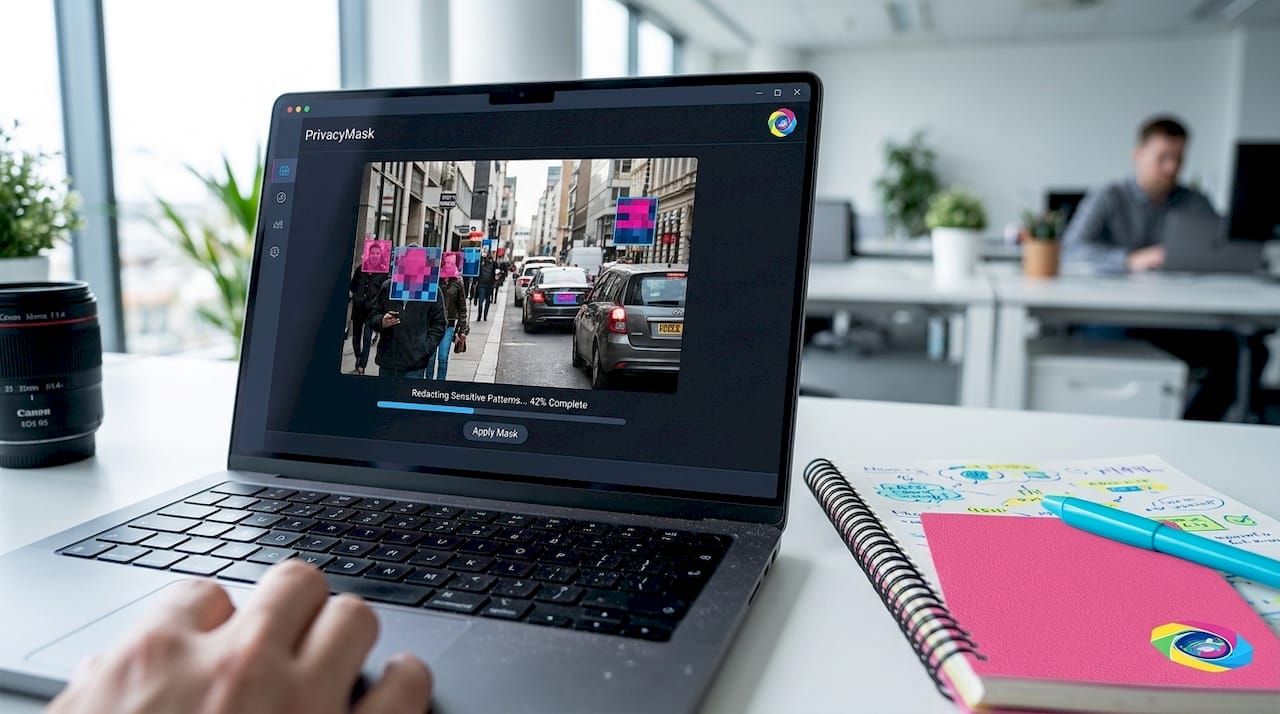
The practical value for creators is significant. You can redact a screenshot containing client information, a contract number, or a personal address before it ever leaves your editing environment. The limitation is compatibility: privacy-mask only protects when used with local AI agents, not cloud-based upload pipelines. If your workflow routes images through a cloud editor afterward, the local masking benefit is negated.
Pro Tip: Build local redaction as the first step in your publishing workflow, not an afterthought. Process images through a local tool before they enter any cloud-connected application.
- Operates fully offline with no server dependency
- Detects text-based sensitive data using NER and regex
- Applies blur or solid fill masking to flagged regions
- Integrates with local AI agent workflows only
2. In-browser client-side image editors
Browser-based privacy editors run entirely within your browser without uploading files to any server. They offer the speed of a web app with the privacy of a local tool, making them ideal for creators who need quick redaction without installing software.
blurrr is the strongest example in this category. It provides face detection, OCR email auto-detection, and EXIF metadata stripping, all running client-side and offline. The tool supports Gaussian blur, solid black redaction, white erase, and adjustable blur strength. Critically, it strips EXIF data on export, which removes location coordinates, device information, and timestamps that most creators forget are embedded in every photo.
The EXIF stripping feature alone makes blurrr worth using. Metadata like EXIF and IPTC fields contains location, device, and timestamp details that many creators overlook entirely when thinking about how to protect image privacy. A photo that looks anonymized visually can still expose your home address through its metadata. blurrr handles both layers in one pass.
Pro Tip: Always verify EXIF stripping by checking exported images with a free metadata viewer like Jeffrey's Exif Viewer before posting to any public platform.
- No signup or server upload required
- Face detection and OCR for automated sensitive region identification
- EXIF metadata stripping on export
- Adjustable blur strength for precise visual redaction
3. Automated detection and masking tools for bulk workflows
Automated detection tools use object recognition to identify faces, license plates, bodies, and text across large image sets, then apply privacy effects without manual selection. This category is built for marketers and agencies processing hundreds of images at a time.
DotScramble covers the widest detection range in this class. It detects faces, eyes, bodies, license plates, and text and applies effects including blur, pixelation, black bar, frosted glass, and mosaic. Batch processing handles large image libraries in one session, and real-time preview with undo/redo history makes it practical for professional use.
The mosaic and frosted glass effects are worth highlighting specifically. Standard blur is reversible with modern AI upscaling tools. Pixelation and mosaic patterns are significantly harder to reconstruct, which matters when you are protecting identifiable faces in marketing content or event photography.
| Detection type | Masking effects available |
|---|---|
| Faces | Blur, pixelation, mosaic, black bar |
| Eyes | Blur, frosted glass |
| License plates | Black bar, pixelation |
| Body regions | Blur, mosaic |
| Text overlays | Solid fill, blur |
Pro Tip: For faces in marketing content, choose mosaic or pixelation over standard Gaussian blur. AI-based reconstruction tools can partially reverse soft blur, but structured patterns are far more resistant.
4. Privacy-preserving pipelines for generative AI workflows
Standard face blurring is not enough when you are using generative AI tools to edit images. The AI model receives the full image context and can infer biometric attributes even from partially obscured faces. Privacy-preserving pipelines solve this by separating identity from content before the image reaches any cloud model.
PrivateEdit is the most advanced tool in this category. It masks biometric facial data on-device using facial landmark detection and segmentation, then sends only the de-identified context to the cloud model for editing. The result is that sensitive attribute inference collapses to near-random levels, even against models like Gemini and Grok.
"Face segmentation and masking collapse sensitive attribute inference to near-random levels against models like Gemini and Grok." — PrivateEdit research
This architecture matters for professional headshot editing, brand photography, and any workflow where you need generative AI assistance without exposing client or subject identity to third-party model providers. The pipeline design keeps biometric data local while still enabling cloud-powered editing capabilities.
- On-device facial landmark detection and segmentation
- Decouples biometric identity from editable image context
- Prevents attribute inference by cloud AI models
- Designed for integration with generative editing workflows
5. Steganography and encryption tools
Steganography tools hide data inside images at the pixel level, making the existence of the hidden content invisible to anyone who does not know to look for it. Combined with encryption, this approach provides two layers of protection: the data is both hidden and unreadable without the correct key.
Stego.Image combines steganography with AES-256 encryption client-side, with no server uploads. It uses GZIP compression to maximize payload capacity within the image's pixel structure. The payload limit depends directly on image pixel count, so larger images carry more hidden data.
The use case for creators is niche but specific. If you need to embed a licensing agreement, watermark data, or proof of ownership inside a distributed image without visible alteration, steganography is the only method that achieves this invisibly. The limitation is practical: payload capacity depends heavily on pixel count and compression, so small or heavily compressed images have limited capacity for hidden data.
| Method | Protection type | Visibility | Limitation |
|---|---|---|---|
| Steganography alone | Hides data existence | Invisible | No encryption of content |
| AES-256 encryption alone | Encrypts content | Visible as encrypted file | Data existence is known |
| Steganography plus AES-256 | Hides and encrypts | Fully covert | Payload limited by pixel count |
- Runs entirely in-browser with no server contact
- AES-256 encryption protects hidden file contents
- GZIP compression maximizes payload within pixel limits
- Ideal for covert licensing data or ownership proof embedding
6. Metadata stripping tools and EXIF cleaners
Metadata stripping is the most overlooked category of photo privacy solutions. Visual redaction gets the attention, but EXIF data is the silent privacy leak that exposes creator location, shooting device, and exact timestamp on every unprocessed image.
Microsoft's image analysis APIs process images in real time and do not retain images after processing, but they place compliance responsibility entirely on the user. This means that if you upload an image with embedded GPS coordinates to any cloud service, that metadata is transmitted and potentially logged before the service discards the image itself. The service's no-retention policy does not protect the metadata in transit.
Dedicated EXIF cleaners like ExifTool, ImageOptim, and the built-in stripping in blurrr address this gap directly. ExifTool is the most granular option, allowing selective removal of specific metadata fields while preserving others. ImageOptim strips metadata automatically during compression. For creators who need a visual content privacy workflow that covers both visible content and invisible data, combining a visual redaction tool with a dedicated EXIF cleaner covers both attack surfaces.
Pro Tip: Run every image through an EXIF cleaner before uploading to any platform, even if you have already applied visual redaction. The two processes address completely different data layers.
7. Platform-level image spoofing and variation tools
Platform-level tools address a different privacy problem: duplicate content detection and digital fingerprinting by social media algorithms. When you post the same image across multiple accounts or platforms, detection systems identify the duplicate and suppress or penalize the content. Image spoofing tools generate visually identical but technically unique versions of each image to prevent this.
One2many operates in this category. The platform transforms original images into multiple unique versions by removing metadata and generating visual variations that defeat duplicate detection. This protects creators from shadowbanning and content suppression without requiring manual editing of each image. For agencies managing multiple client accounts or creators posting across platforms, this type of digital image protection method solves a problem that standard redaction tools do not address at all.
The distinction between this category and the others is worth stating clearly. Redaction tools protect the people and data within an image. Variation and spoofing tools protect the creator's ability to distribute that image without platform penalties. Both are types of content privacy tools, but they solve different problems in the same workflow.
Key takeaways
The most effective image privacy strategy combines local processing for sensitive data masking, EXIF stripping for metadata removal, and platform-level variation tools to protect distribution.
| Point | Details |
|---|---|
| Local processing is non-negotiable | Tools like privacy-mask and blurrr protect data before it reaches any server. |
| EXIF stripping is a separate layer | Visual redaction does not remove metadata; use dedicated strippers like ExifTool or blurrr's export function. |
| Generative AI needs biometric decoupling | Standard blur fails against AI inference; PrivateEdit's on-device segmentation provides stronger protection. |
| Steganography suits covert ownership proof | AES-256 plus steganography hides and encrypts data invisibly, but payload is limited by image size. |
| Platform variation protects distribution | Duplicate detection requires spoofing tools, not redaction tools, to prevent content suppression. |
What most creators get wrong about image privacy
The conversation around image privacy almost always stops at face blurring. After working in this space, the pattern is clear: creators invest in one tool, apply it to the most visible problem, and assume the job is done. It rarely is.
EXIF metadata is the gap that catches people off guard. A perfectly redacted image with GPS coordinates still in the file is not a private image. It is a redacted image with a location tag. The two problems require two different solutions, and most single-tool workflows only address one of them.
The generative AI angle is where things get genuinely underappreciated. Standard blur applied before sending an image to a cloud AI editor does not prevent the model from inferring biometric attributes. The model receives enough surrounding context to reconstruct what was obscured. PrivateEdit's approach of decoupling identity on-device before cloud transmission is the correct architecture for this use case, and almost no one in the creator space is using it yet.
The practical recommendation is to think in layers. Use a local redaction tool first. Strip EXIF data on export. Apply biometric decoupling if your workflow includes generative AI. Then use a platform-level variation tool before distribution. Each layer addresses a distinct vulnerability. No single tool covers all four.
— one2many.pics
Protect your images with One2many
One2many is built specifically for creators and marketers who need image privacy at scale. The platform removes metadata including location, device info, and timestamps, then generates unique visual variations of each image to prevent duplicate detection across platforms.

If you are managing content across multiple accounts or posting the same visual assets to different platforms, One2many handles the distribution privacy layer that redaction tools do not cover. Explore the expert privacy tips built into the platform's workflow, or go directly to one2many.pics to see the subscription plans built for individual creators, social media managers, and marketing teams.
FAQ
What are the main types of image privacy tools?
The main types include local redaction tools, in-browser client-side editors, automated detection and masking tools, privacy-preserving generative AI pipelines, steganography and encryption tools, EXIF metadata strippers, and platform-level image variation tools. Each category addresses a distinct privacy vulnerability in the image creation and distribution workflow.
Does blurring a face fully protect identity in images?
Standard face blurring does not fully protect identity when images are processed by generative AI models. Tools like PrivateEdit use on-device biometric decoupling to collapse attribute inference to near-random levels, which provides significantly stronger protection than blur alone.
Why is EXIF metadata a privacy risk for creators?
EXIF metadata embeds GPS coordinates, device model, and timestamps directly into image files. Uploading an unstripped image to any platform transmits this data in transit, even if the platform does not retain the image afterward. Tools like blurrr and ExifTool strip this data on export.
What is steganography used for in image privacy?
Steganography hides data inside an image at the pixel level, making the hidden content invisible without specialized extraction tools. Combined with AES-256 encryption, as in Stego.Image, it provides covert storage for licensing data or ownership proof inside distributed images.
How does image spoofing differ from redaction?
Redaction removes or obscures sensitive content within an image to protect subjects and data. Image spoofing generates technically unique versions of the same image to prevent platform duplicate detection and avoid content suppression. Both are image anonymization techniques, but they solve different problems in a creator's workflow.