

Automation for content creators is the practice of using technology to eliminate repetitive, time-consuming tasks so you can focus on the work that actually grows your audience. Repetitive tasks consume about 70% of a creator's work time, and automating them can triple your content output within six months without adding extra effort. Tools like Buffer, Zapier, and Descript now handle scheduling, transcription, and analytics reporting automatically. The result is more time for the creative decisions that no algorithm can make for you. Understanding why automation for creators matters is the first step toward building a workflow that scales.
What are the main benefits of automation for creators?
The core benefit of creator automation is time recovery. Automating repetitive tasks saves roughly 5 hours per week in the first month alone. Those hours compound fast. Redirect them toward scripting, audience interaction, or product development and you build a genuine competitive edge.
Beyond time, automation delivers consistency. Scheduling tools like Buffer or Later post content at optimal times without you manually logging in. That regularity signals reliability to both your audience and platform algorithms. Creators who post inconsistently lose momentum even when their content quality is strong.
Automated analytics change how you plan content. Automated analytics can detect performance gaps of 40% between video lengths faster than any manual review. That kind of data tells you exactly where to invest your next creative effort.
Here are the highest-impact tasks creators automate first:
- Scheduling and cross-platform posting: Tools like Buffer, Later, and Hootsuite publish content across Instagram, TikTok, and YouTube on a set schedule.
- Transcription and caption generation: Descript and Otter.ai convert audio to text in minutes, cutting hours of manual work per video.
- Analytics reporting: Platforms like Metricool pull performance data automatically so you review results instead of collecting them.
- Content repurposing: Tools like Repurpose.io convert a single YouTube video into clips, audiograms, and blog drafts automatically.
- Email and community responses: Zapier and Make connect your inbox or Discord to pre-built response flows for common questions.
Pro Tip: Stack two or three automations in sequence. For example, auto-transcribe a video, then trigger a Zapier workflow that sends the transcript to a Google Doc for repurposing. Each automation you add multiplies the value of the ones before it.
How do creators decide which tasks to automate?
Not every task belongs in an automation workflow. The right framework for deciding is a Creator Task Audit, which separates your work into two categories: strategic creative tasks and repetitive process tasks.
Strategic creative tasks require your judgment, brand voice, and audience knowledge. Writing a script, responding personally to a comment, or deciding your next content series all belong here. Automating these risks producing generic output that your audience will notice immediately.
Repetitive process tasks are predictable, low-nuance, and follow a fixed pattern every time. Only low-creative, repetitive, predictable tasks should be fully automated. These are your best automation targets.
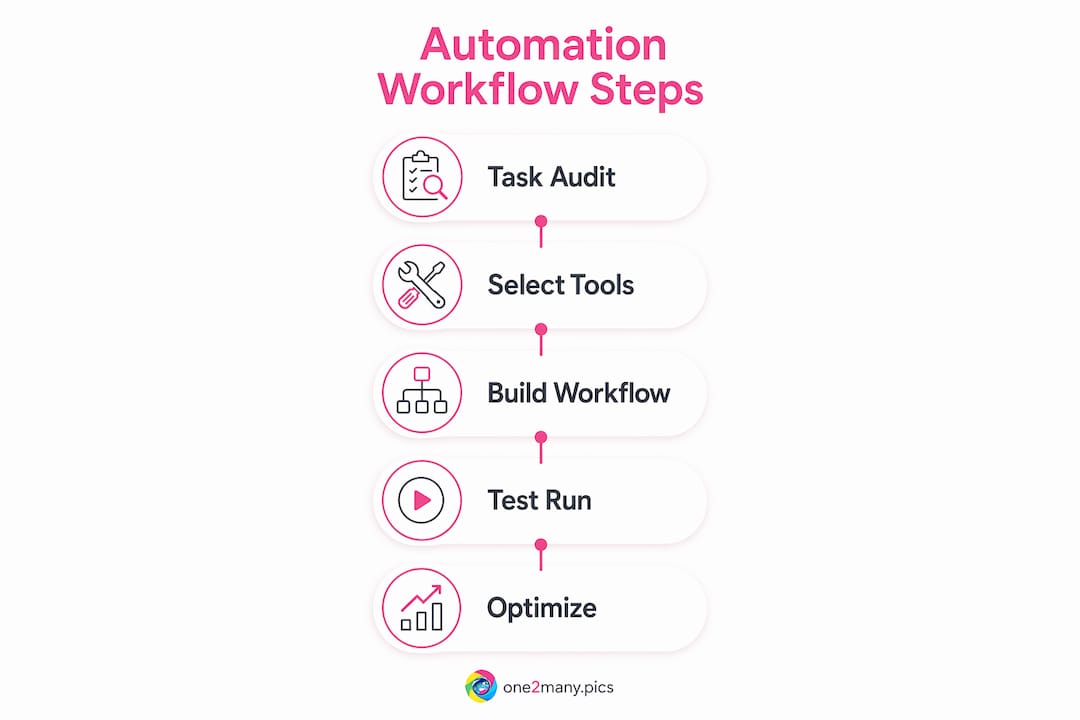
Run your own Creator Task Audit with this four-step process:
- List every task you do in a week. Include everything from uploading files to responding to brand inquiry emails.
- Tag each task as creative or process. Creative tasks require original judgment. Process tasks follow a repeatable pattern.
- Score process tasks by frequency and time cost. Tasks you do daily or weekly with high time cost are your top automation candidates.
- Identify the right tool for each target task. Match the task to a specific tool rather than adopting a platform and finding tasks to fill it.
Good automation targets include metadata tagging, thumbnail resizing, transcript cleanup, file organization, and posting schedules. Poor automation targets include writing captions that reflect your personality, replying to DMs that require relationship context, and making editorial decisions about content direction.
Pro Tip: Keep a brand voice document that any AI writing tool must reference before generating copy. This single file preserves your tone across automated drafts and prevents the generic, flat content that kills audience trust.
What are the levels of automation for creators?
Automation operates across three distinct levels, each with increasing autonomy and risk. Understanding these levels helps you build trust in your systems before handing over more control.
| Level | Description | Example | Risk |
|---|---|---|---|
| Level 1: Basic Task Support | Tools assist with single tasks on demand | Descript transcribes a video you upload | Very low; you initiate every action |
| Level 2: Triggered Workflows | Automations run when you take a specific action | Zapier posts to Twitter when you publish a YouTube video | Low to moderate; requires correct trigger setup |
| Level 3: Autonomous Agents | Systems run end-to-end processes without your input | An AI agent drafts, schedules, and posts content independently | High; errors compound without human review |
Most creators should spend their first three months at Level 1 and Level 2. Level 1 tools like Descript, Otter.ai, and Canva's resize feature handle single tasks with no downstream risk. Level 2 tools like Zapier and Make connect platforms so one action triggers a chain of steps.
Level 3 is where creators get into trouble. Attempting autonomous automation without quality control often backfires due to a lack of brand nuance and compounding errors. An autonomous agent that posts without review can publish off-brand content, miss context, or violate platform guidelines before you notice.
Pro Tip: Before moving to Level 3, run your autonomous workflow in a test environment for two weeks. Review every output manually. Only remove human oversight when the error rate is near zero.
How does automation affect content quality and audience engagement?
Automation helps with consistency but creates real risks when applied to the wrong tasks. Fully outsourcing content without oversight can hurt engagement and quality. The platforms that penalize low-quality or duplicate content are getting better at detecting it, not worse.
The creators who use automation well share one habit: they treat automated output as a first draft, not a final product. A tool like Jasper or ChatGPT can generate a caption in seconds. That caption still needs your voice, your specific reference, and your judgment before it goes live.
Here is where automation genuinely supports quality:
- Posting consistency: Scheduled content keeps your publishing cadence intact even during creative dry spells or travel.
- Format compliance: Tools that auto-resize images and videos for each platform prevent the cropped thumbnails and wrong aspect ratios that signal low effort.
- Data-driven decisions: Automated analytics from tools like Metricool or Sprout Social surface what is working before you waste time doubling down on what is not.
Consistency and authenticity are both required to sustain genuine audience engagement. Automation handles consistency. You handle authenticity. The moment you automate authenticity, your audience feels it.
What tools and strategies build scalable creator automation?
Scalable automation depends on portability. Portability of automation assets guards creators against changing platform algorithms and pricing shifts. If your entire workflow lives inside one platform and that platform raises prices or changes its API, you lose everything. Build to export.
Practical strategies for a portable, scalable automation system:
- Store prompts and brand voice files externally. Keep your AI prompts in a Notion database or Google Doc, not locked inside a single tool's interface.
- Use connective platforms. Zapier and Make act as neutral hubs that link tools together. If one tool changes, you swap it out without rebuilding the whole workflow.
- Document every workflow. Write a one-page summary of each automation: what triggers it, what it does, and what the output should look like. This makes troubleshooting fast.
- Build incrementally. Building automation incrementally and maintaining control over prompts prevents the premature failures that come from deploying complex systems before you understand them.
- Measure and adjust monthly. Set a monthly review date to check whether each automation is still saving time and producing acceptable output. Kill the ones that are not.
For visual content specifically, automating image processing is one of the highest-leverage moves a creator can make. Tools that handle automated image processing cut the time spent on resizing, metadata removal, and variation generation from hours to minutes. That time goes directly back into content strategy.
One2many is built for exactly this layer of the workflow. The platform transforms original images into multiple unique versions, strips metadata, and generates visual variations at scale. For creators managing multiple accounts or posting across several platforms, that capability removes one of the most tedious bottlenecks in the entire production process.

Key takeaways
Automation for creators works because it removes low-value repetitive tasks, freeing time and creative energy for the strategic work that builds audiences and revenue.
| Point | Details |
|---|---|
| Time recovery is immediate | Automating repetitive tasks saves roughly 5 hours per week starting in month one. |
| Task auditing comes first | Separate creative tasks from process tasks before choosing any automation tool. |
| Build through three levels | Start at Level 1 and Level 2 before trusting autonomous agents with your content. |
| Portability protects your workflow | Store prompts and brand assets externally to avoid platform lock-in. |
| Human oversight preserves quality | Treat automated output as a first draft and apply your voice before publishing. |
The discipline behind creator automation
Here is what most automation advice gets wrong: it treats automation as a shortcut. It is not. Automation is a discipline. You have to invest real time upfront to map your workflows, choose the right tools, and build systems you actually trust. The payoff comes later, and it compounds.
At One2many, we have watched creators rush to Level 3 automation because the idea of a fully hands-off content machine sounds appealing. Almost every time, the output is flat, off-brand, or worse, flagged by platforms for duplicate content. The creators who build slowly and audit carefully are the ones who end up with systems that genuinely free them.
The real value of automation is not the hours you save in month one. It is the creative energy you recover over a year. When you are not manually resizing images, writing the same metadata fields, or logging into five platforms to post the same content, you think differently. You take on bigger creative risks. You experiment more. That is where audience growth actually comes from.
One thing I would add that most guides skip: protect your automation assets the same way you protect your content. Export your prompts. Back up your workflows. If Zapier changes its pricing or a platform kills its API, your system should survive the disruption. Portability is not a technical detail. It is a business decision.
— one2many.pics
Start building your automation workflow today
Automation for creators is not a future investment. Every week you spend on manual posting, metadata entry, and repetitive image editing is a week you are not spending on content that grows your channel.

One2many gives creators a direct path to one of the most time-consuming parts of visual content production. The platform processes images in bulk, removes identifying metadata, and generates unique visual variations so you can post across platforms and accounts without triggering duplicate detection or exposing your digital footprint. If you are ready to scale your visual content without the manual overhead, One2many is built for exactly that workflow. You can also explore the full picture of automating content posting to see how scheduling and image automation work together.
FAQ
What is automation for content creators?
Automation for content creators is the use of tools and workflows to handle repetitive tasks like scheduling, transcription, and analytics reporting automatically. The goal is to recover time for creative work that requires human judgment.
How much time can creators save with automation?
Automating repetitive tasks saves roughly 5 hours per week in the first month. Over six months, that time recovery can support a tripling of content output without additional effort.
Which tasks should creators never automate?
Creators should not automate tasks that require brand voice, audience relationship context, or original creative judgment. Replying to personal DMs, writing personality-driven captions, and making editorial decisions about content direction all require a human.
What is the safest way to start with automation?
Start at Level 1 with single-task tools like Descript for transcription or Canva for resizing. Build to Level 2 triggered workflows only after you trust the output. Incremental automation with prompt control prevents the compounding errors that come from moving too fast.
Does automation hurt content authenticity?
Automation hurts authenticity only when applied to the wrong tasks. Workflow automation has minimal downside when used for scheduling and syncing. The risk appears when creators remove human oversight from content that requires their voice and judgment.