

Content Security Policy (CSP) is defined as a browser-enforced HTTP header that controls which resources a webpage can load and execute. For content creators and digital marketers, it is the single most direct tool for blocking unauthorized code from running on your site. CSP is cited as the most effective defense against cross-site scripting (XSS), which tops the OWASP Top 10 list of critical web vulnerabilities. This content security guide walks you through every phase of implementation, from auditing your resources to locking down enforcement, so you protect your intellectual property without breaking your site.
What does content security step by step actually require?
Content security step by step is not a single action. It is a layered process built around CSP headers, violation reporting, and iterative policy refinement. The W3C standardizes CSP syntax, and OWASP validates it as the primary XSS mitigation technique available to web publishers today.
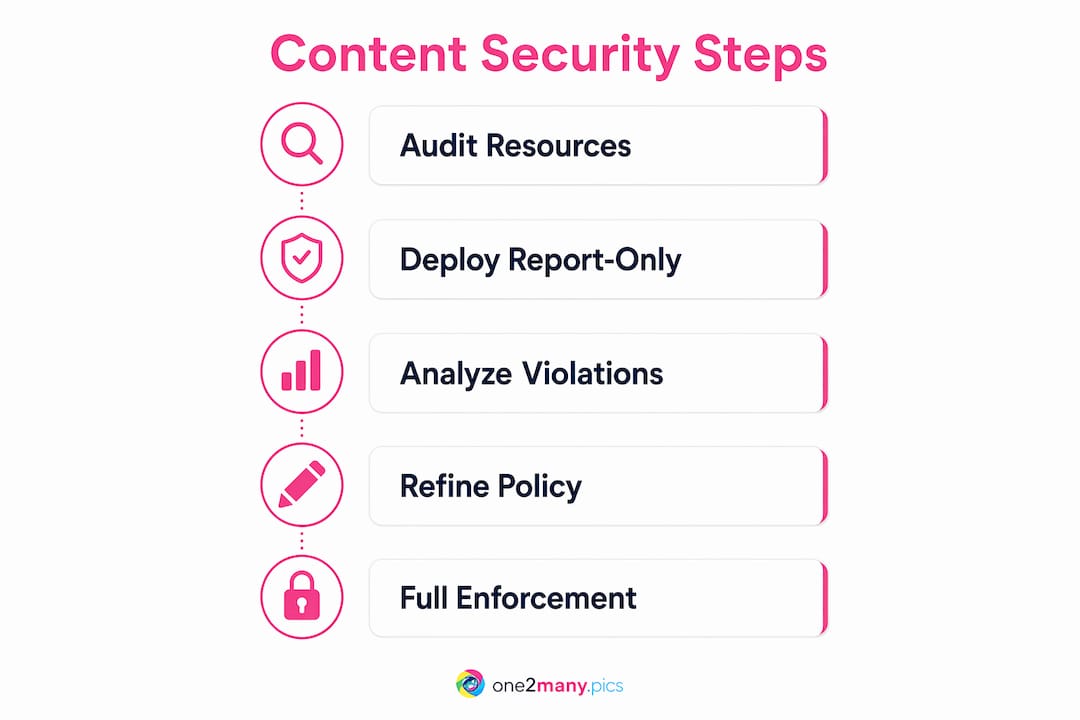
The process follows a clear sequence: audit your resources, deploy a report-only policy, analyze violations, refine directives, and then enforce. Skipping any phase risks either leaving your site exposed or breaking legitimate functionality. CSP can block over 90% of malicious script injection attempts when directives are defined strictly. That number only holds when you build the policy correctly from the start.

CSP should complement, not replace, fundamental security practices like input validation and output encoding. Think of it as your outermost defense layer, not your only one.
What tools and preparations do you need before starting?
Preparation determines whether your CSP deployment succeeds or creates outages. Before writing a single directive, you need a complete picture of every resource your site loads.
Audit your resources first. Check the Network tab in browser DevTools across every page type on your site. Log every script, stylesheet, image, font, and XHR request, including their origins. This audit is your raw material for building an accurate allowlist.
Here is what to gather before writing your first policy:
- All first-party script and style origins (your own domain)
- Third-party CDN domains (Google Fonts, analytics scripts, ad networks)
- External image sources and media hosts
- API endpoints and XHR destinations
- Inline scripts and styles that currently run without a nonce or hash
Set up a violation reporting endpoint. You need somewhere for browsers to send CSP violation reports before you enforce anything. You can self-host a simple logging endpoint or use a third-party reporting service. Either way, the endpoint must be live before you deploy the header.
Coordinate with your team. If developers or marketing partners add third-party scripts regularly, you need a process for flagging new additions. Every new widget or pixel requires a policy update. Skipping this coordination step is the most common reason CSP breaks sites weeks after deployment.
Pro Tip: Run your audit in an incognito window to avoid loading browser extensions, which add noise to the Network tab and can mislead your resource inventory.
How do you deploy your first CSP using report-only mode?
Starting in report-only mode is the only way to avoid catastrophic outages during policy creation. The Content-Security-Policy-Report-Only header monitors violations without blocking anything. Your site keeps running normally while you collect data.
Follow these steps to deploy your first policy:
- Write a restrictive base policy. Start with
default-src 'self'as your baseline. This tells the browser to allow resources only from your own domain by default. Add specific directives for scripts, styles, images, and fonts as needed. - Add your report-uri directive. Append
report-uri /csp-report-endpointto the policy string. This tells browsers where to POST violation JSON when a resource is blocked by the policy rules. - Deploy the Report-Only header sitewide. Apply the header across all pages, not just your homepage. Different page templates load different resources, and you need violations from all of them.
- Run report-only mode for 1–2 weeks. Typical hardening workflows require 2–3 iterations of report analysis and policy updating before enforcement is safe. Rushing this phase produces an incomplete allowlist.
- Cover all user flows. Walk through checkout pages, login flows, media galleries, and any embedded content. Violations only appear when a browser actually loads that page type, so incomplete coverage means gaps in your policy.
Pro Tip: Use a staging environment to test your base policy syntax before deploying to production. A malformed header can silently fail or block everything at once.
How do you analyze violations and refine your policy?
Raw violation reports contain a mix of legitimate dependencies, inline script flags, and noise. Your job is to sort them before updating any directives.
Categorize every violation into one of three groups:
- Legitimate dependencies: Third-party origins your site genuinely needs, such as analytics platforms, font CDNs, or payment processors. Add these explicitly to the relevant directive.
- Inline script and style violations: These appear when scripts or styles run without a nonce or hash. Do not resolve these by adding
'unsafe-inline'. Instead, assign a nonce or hash to each legitimate inline block. - Noise and false positives: Browser extensions generate false positive reports referencing
chrome-extension://ormoz-extension://URLs. Filter these out entirely. They represent extension behavior, not your site's code.
Once you have categorized violations, update your policy directives to add approved origins explicitly. Avoid wildcard sources like * or 'unsafe-inline' in your final policy. Both weaken CSP effectiveness to the point of near uselessness.
For inline scripts, replace 'unsafe-inline' with nonce-based or hash-based directives. A nonce is a random token added to both the script tag and the CSP header. A hash is a cryptographic fingerprint of the script's exact content. Both approaches let the browser verify legitimacy without opening the door to arbitrary inline execution.
| Violation type | Correct resolution |
|---|---|
| Third-party CDN blocked | Add the exact origin to the relevant directive |
| Inline script flagged | Replace 'unsafe-inline' with a nonce or hash |
| Browser extension noise | Filter from reports; no policy change needed |
| Unknown external origin | Investigate before adding; may be injected malware |
Use a Diff Checker after each policy update to compare your new directive string against the previous version. Unintended changes, such as a missing semicolon or a dropped directive, are easy to miss and can silently break your policy. After each update, revalidate the full policy string with a CSP analyzer tool before redeploying.
You can also review your content footprint audit process to align your resource inventory with your CSP allowlist at each iteration.
When and how do you switch to full enforcement?
Switch the CSP header to enforcement when violation reports decline to near zero across all page types and user flows. Near zero means only noise from browser extensions remains, not legitimate site resources.
- Change the header name. Replace
Content-Security-Policy-Report-OnlywithContent-Security-Policy. The policy string itself stays identical. - Keep reporting active. Retain the
report-uridirective in your enforcement header. Violations during enforcement signal new third-party additions or site changes that need a policy update. - Use a staged rollout. Deploy enforcement to a small percentage of traffic first, or to a single subdomain. Monitor error rates and site functionality before rolling out sitewide.
- Generate unique nonces per page request. Static nonces create predictable security holes that attackers can exploit. Your server must generate a cryptographically random nonce for every individual page load.
- Schedule quarterly policy reviews. CSP is not a set-and-forget control. Every new analytics tag, embedded widget, or third-party integration requires an allowlist update. Integrate CSP validation into your CI/CD pipeline so new deployments trigger automatic policy checks.
Pro Tip: Set up an automated alert for any spike in CSP violation reports post-enforcement. A sudden surge usually means a new third-party script was added without updating the policy.
Understanding content protection technology at a broader level also helps you prioritize which assets need the strictest controls in your CSP directives.
Key Takeaways
Effective content security requires a phased CSP deployment, starting with report-only monitoring and ending with enforced directives built from a verified allowlist.
| Point | Details |
|---|---|
| Audit resources first | Map every script, style, and external origin before writing any CSP directive. |
| Deploy report-only mode | Use the Report-Only header for 1–2 weeks to collect violations without blocking anything. |
| Filter noise from reports | Remove browser extension entries before updating your allowlist. |
| Use nonces, not unsafe-inline | Generate a unique cryptographic nonce per page request for all inline scripts. |
| Maintain and monitor | Update your allowlist for every new third-party integration and review quarterly. |
What most CSP guides get wrong
One2many works with content creators who manage high-volume visual publishing across multiple platforms. From that vantage point, the most common CSP mistake is not technical. It is impatience.
Creators and marketers want security locked down immediately. So they skip report-only mode, write a policy based on guesswork, and then spend days debugging a broken checkout or a missing analytics tag. The report-only phase feels slow. It is actually the fastest path to a working policy.
The second mistake is setting default-src * to silence all violations quickly. That approach produces a policy that exists in name only. It blocks nothing meaningful and gives you false confidence. A policy with wildcard sources is worse than no policy at all, because it stops you from building the real one.
The third mistake is treating CSP as a one-time project. Every new pixel, font CDN, or embedded video player changes your resource map. Monitoring content theft and unauthorized resource loading requires the same ongoing attention as your CSP allowlist. Both are living documents, not completed tasks.
The creators who get this right treat their CSP like their editorial calendar. They review it regularly, update it when things change, and never assume last month's version still reflects today's site.
— one2many.pics
How One2many supports your secure content workflow
Content security extends beyond browser headers. For creators managing visual assets across multiple accounts and platforms, the risk of metadata exposure and duplicate content detection is just as real as XSS.

One2many gives creators a direct way to protect their visual content at the file level. The platform strips metadata including location, device info, and timestamps from images, then generates unique visual variations so the same asset can be posted across accounts without triggering duplicate detection or shadowbanning. For agencies and social media managers running secure content posting workflows, One2many's bulk processing and automation integrations fit directly into existing publishing pipelines. Visit one2many.pics to see how the platform handles content privacy at scale.
FAQ
What is a Content Security Policy?
A Content Security Policy is an HTTP response header that tells browsers which sources are allowed to load scripts, styles, images, and other resources on a webpage. It is the primary technical defense against cross-site scripting attacks.
How long should I run CSP in report-only mode?
Run report-only mode for at least 1–2 weeks across all page types and user flows. Most policies require 2–3 rounds of refinement before violations drop to near zero.
What does default-src 'self' mean?
default-src 'self' restricts all resource loading to your own domain by default. Any resource from an external origin is blocked unless you explicitly add that origin to a specific directive.
Why should I avoid 'unsafe-inline' in my CSP?
'unsafe-inline' allows any inline script or style to execute, which defeats the purpose of CSP. Use nonce-based or hash-based directives instead to allow only verified inline code.
How do I handle browser extension violations in my reports?
Filter out any violation report that references chrome-extension:// or moz-extension:// URLs. These are false positives generated by the user's browser extensions, not by your site's code.