

Every social media manager has felt it: you publish content across five platforms and wonder exactly who can see your metadata, your location, your device fingerprint, and whether the algorithm has already flagged your post for suppression. Learning how to post securely across platforms is not optional anymore — it is a core competency for anyone managing multiple accounts professionally. This guide moves through preparation, access control, content crafting, and ongoing verification so you can protect your privacy and your reach at the same time.
Table of Contents
- Prepare for secure cross-platform posting
- Establish strong access controls and authentication
- Craft posts with privacy and platform considerations
- Verify your post security and monitor ongoing exposure
- Why most social media security advice misses practical realities
- Enhance your social media security with One2Many solutions
- Frequently asked questions
Key Takeaways
| Point | Details |
|---|---|
| Separate accounts | Use different email addresses and devices for personal and professional social media to limit exposure risk. |
| Enable multifactor authentication | Add 2FA to your accounts to dramatically reduce the chance of unauthorized access. |
| Limit sensitive data | Keep profile information to the minimum necessary and avoid sharing location or private details in posts. |
| Use native tools | Post directly via platform-native apps to prevent content suppression issues caused by third-party tools. |
| Regularly verify security | Review login activity and conduct open-source searches regularly to catch and fix security gaps early. |
Prepare for secure cross-platform posting
Before you touch a single publish button, your environment needs to be locked down. Most security failures happen before posting ever starts, not during.
Separate your identity at the root level. Secure social media posting requires a dedicated email address for each set of social accounts, minimal profile information, and posts scrubbed of sensitive details. That means your professional Instagram account should not share the email address tied to your personal Gmail. One breach cascades into nothing if the accounts have no shared credentials.
Minimize your device footprint. Every app you install for posting requests permissions. Location, contacts, camera access — each one is a potential data exposure point. Disable location tracking on every device you use for work posting. Review app permissions monthly and revoke anything that is not strictly necessary.
Here is a quick overview of preparation priorities:
| Preparation step | Risk it addresses | Review frequency |
|---|---|---|
| Dedicated email per account set | Identity linking | Once at setup |
| Minimal profile information | Personal data exposure | Every 1 to 3 months |
| Location and app permissions off | Device fingerprinting | Monthly |
| Separate browser or device | Cross-account tracking | Ongoing |
| Privacy settings audit | Platform policy changes | Every 1 to 3 months |
Key preparation actions to build into your workflow:
- Use a password manager to generate and store unique credentials for every account
- Set up a dedicated browser profile (or separate browser entirely) for professional social media work
- Remove your real phone number from account profiles where it is not legally required
- Turn off synced browsing history on devices used for posting
- Check your social media security guide for a full account audit checklist
Pro Tip: Create a free secondary email address through a privacy-focused provider like ProtonMail specifically for social account registrations. If that email is ever exposed in a breach, your primary inbox and identity remain untouched.
Establish strong access controls and authentication
Once your accounts and devices are prepared, securing access is essential to prevent unauthorized breaches. Passwords alone are not enough, and treating them as your last line of defense is one of the most common and costly mistakes in social media management.
Limiting account access to 1 to 2 trusted administrators, monitoring activity daily, and updating privacy settings every quarter prevents up to 80% of breaches. Read that again: 80%. That number collapses the moment you give five team members admin credentials and forget to audit login history.
Build a tiered access structure. Not every team member needs full admin rights. Most platforms let you assign editor, contributor, or viewer roles. Use them. An account where five people have publishing rights is five times the exposure.
Best practices for access control:
- Use passwords with at least 16 characters, mixing uppercase, lowercase, numbers, and symbols
- Enable two-factor authentication (2FA) on every account, without exception
- Where available, use FIDO hardware security keys (physical USB devices that confirm your identity) instead of SMS-based 2FA, which can be intercepted
- Check your secure account access protocols after any team change
- Establish a formal content approval workflow so posts are reviewed before they go live
Pro Tip: Set a calendar reminder every 90 days to rotate passwords on your highest-value accounts and review who still has access. People leave teams, freelancers finish contracts, and former collaborators rarely remember to ask you to revoke their access.
Monitor daily, not weekly. Login notifications are not noise. A login from an unrecognized device or location at 3 a.m. is exactly the signal you need. Configure email or SMS alerts for every account that supports them and treat any unusual notification as urgent.
Craft posts with privacy and platform considerations
Securing your accounts sets the stage for crafting secure and effective posts across platforms. This is where best practices for secure posting move from setup into daily practice.
Strip sensitive information before you hit publish. Locations, physical addresses, licensing information, employee names, and client details have no business appearing in public posts. This seems obvious until you realize how often location data is embedded invisibly in images or accidentally referenced in captions.
Never link personal and professional accounts. Instagram, Facebook, and LinkedIn all encourage you to connect accounts for easier sharing. Resist this. If one account is compromised, a linked account gives attackers a direct path to everything else. Keep cross-platform posting architecturally separate.
Use native posting tools, not third-party apps. The EFF's guidance on compartmentalizing accounts and using platform-native tools consistently comes up as something creators wish they had known earlier. Third-party scheduling tools access your accounts via API (an application programming interface, meaning software that connects two systems). Some platforms flag heavy API usage as suspicious and suppress content accordingly. Native tools avoid this risk entirely.
| Posting method | Suppression risk | Privacy risk | Best for |
|---|---|---|---|
| Native platform tools | Low | Low | Individual accounts, daily posting |
| Approved third-party schedulers | Medium | Medium | Small teams with verified integrations |
| Bulk API tools | High | High | Only if platform officially supports it |
| Manual posting per platform | Very low | Very low | High-stakes or sensitive content |
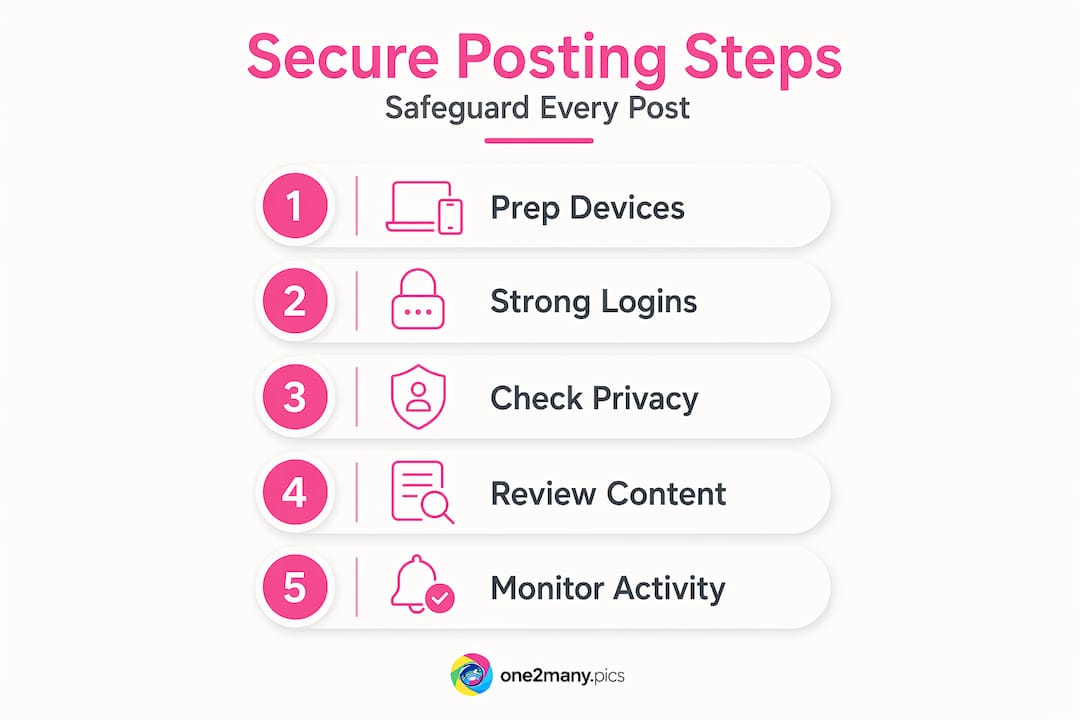
A structured content workflow for posting best practices looks like this:
- Draft content and strip all metadata from images before uploading
- Review captions for accidental sensitive details
- Select audience visibility settings before publishing (not the default)
- Post using the platform's native interface
- Confirm post settings after publishing to catch any default overrides
Pro Tip: Before uploading any image, run it through a metadata viewer. Free tools online show exactly what location, device, and timestamp data is embedded. If you see it, so does anyone who downloads that image.
Verify your post security and monitor ongoing exposure
After posting securely, ongoing verification ensures your accounts stay safe and your content keeps its intended reach. Most managers do the setup correctly and then treat security as a solved problem. It is not.
Reviewing login notifications within 24 hours catches 95% of unauthorized access attempts early. Monthly self-searches on your own profiles help surface misconfigurations you did not know existed. These are not one-time tasks — they are recurring habits.
Your monthly verification checklist:
- Search your name, brand name, and account handles across major search engines to see what is publicly indexed
- Check every account's "connected apps" section and revoke anything you do not actively use
- Review tagged content and remove tags that expose location, affiliation, or sensitive context
- Pull the native analytics log for each account and look for unusual posting times or geographic spikes
- Update privacy settings to reflect any new platform features rolled out in the past 30 days
A quarterly verification schedule:
- Audit all account access and remove inactive team members
- Rotate passwords on high-value accounts
- Review and tighten audience visibility settings across all platforms
- Check your content workflow for privacy for any gaps or outdated steps
- Document any platform policy changes and adjust your protocols accordingly
| Verification task | Frequency | Time required |
|---|---|---|
| Login notification review | Daily | 2 minutes |
| Connected apps audit | Monthly | 15 minutes |
| Open-source self-search | Monthly | 20 minutes |
| Privacy settings update | Quarterly | 45 minutes |
| Full access and credential audit | Quarterly | 60 minutes |
Pro Tip: Set up a Google Alert for your brand name and primary handles. You will receive real-time notifications if your content or name appears somewhere unexpected, including data breach announcements or unauthorized reposts.
Why most social media security advice misses practical realities
Here is the uncomfortable truth: most security guides give you a checklist and call it done. They tell you to use a strong password. They tell you to enable 2FA. They do not tell you why those measures still fail for social media managers specifically, or why the platforms themselves contribute to the problem.
Strong passwords alone leave 70% of breaches unaddressed if MFA and activity monitoring are not also in place. But beyond the statistics, the real issue is behavioral. Social media management involves a rotating cast of team members, freelancers, and agencies, all sharing access to accounts that were never designed for multi-user workflows. The attack surface is not just technical. It is organizational.
The account linking problem is worse than most guides acknowledge. When one account in a linked cluster is phished or brute-forced, the attacker does not stop there. They follow the connections. Understanding your social media fingerprints — the metadata, behavioral patterns, and device signatures your accounts emit — changes how you think about cross-posting entirely.
Algorithm suppression is another dimension that pure security guides ignore. When you use third-party tools to bulk-post identical content across platforms, you are not just risking a policy violation. You are triggering duplicate detection systems that quietly reduce your reach without any notification. This is not a conspiracy — it is how platforms protect against spam. The fix is native tools and unique content per platform. Security and reach turn out to be connected problems.
Continual adaptation beats one-time fixes. Every major platform updates its privacy settings, API policies, and detection systems multiple times per year. A configuration that was secure in January may be leaking data by September. The managers who maintain strong reach and strong privacy treat this as an ongoing practice, not a project with an end date.
Enhance your social media security with One2Many solutions
Putting every one of these practices into action manually is time-consuming, especially when you are managing multiple accounts across several platforms and need to post unique, metadata-free content at scale.

One2Many is built specifically for this challenge. The platform removes embedded metadata from your images, including location, device info, and timestamps, and generates visually unique variations of your content so duplicate detection systems never flag your posts. Whether you are managing five accounts or fifty, the workflow is straightforward: upload, customize your variation settings, and download clean, platform-ready images. For teams that need bulk processing and workflow integrations, the higher-tier plans handle that without adding complexity. If your goal is to scale your content without trading away your privacy or your reach, this is where to start.
Frequently asked questions
What is the most effective way to prevent unauthorized access to social media accounts?
Combining strong unique passwords with multifactor authentication and daily activity monitoring provides the most effective prevention. Without MFA and monitoring, 70% of breaches still succeed even when passwords are strong.
How often should privacy settings be reviewed to maintain secure posting?
Privacy settings should be reviewed at least every 1 to 3 months. Platforms change settings frequently, and what was locked down last quarter may be open again after an update.
Why is it important to separate professional and personal social media accounts?
Separating accounts limits how far a breach can spread. Compartmentalizing accounts means a compromised personal account cannot be used to access or impersonate your professional presence.
Can using third-party posting tools affect my post visibility?
Yes. Third-party API tools can trigger platform suppression systems that reduce content reach without warning. Native platform tools are the safer choice for maintaining visibility.