

Photo metadata is structured information embedded within a digital image file that describes its content, capture details, and usage rights without altering the image itself. Every photo you shoot on a smartphone or professional camera carries this hidden layer of data. Understanding what is metadata in photos gives photographers and content creators direct control over organization, copyright protection, and privacy. The three core metadata standards are EXIF, IPTC, and XMP, and each one serves a distinct purpose in your workflow.
What are the main types of photo metadata?
Photo metadata is structured information embedded within or alongside digital image files, covering content, capture details, and rights. The three standards do not compete. They coexist inside the same file, each handling a different layer of information.
EXIF (Exchangeable Image File Format) is the automatic layer. Your camera or smartphone writes it without any input from you. EXIF stores camera data like shutter speed, aperture, ISO, date and time, and GPS location if location services are active. A JPEG shot on an iPhone in San Francisco will carry the exact coordinates of where you stood when you pressed the shutter. That precision is useful for organizing travel shoots but creates real privacy exposure when you post publicly.

IPTC (International Press Telecommunications Council) is the editorial layer. IPTC metadata is manually entered by photographers or editors and covers titles, captions, keywords, and copyright notices. A stock photographer who fills in IPTC fields correctly gets better search results on platforms like Getty Images or Adobe Stock because buyers search by keyword and creator name. Without IPTC, your image is effectively anonymous in any catalog.
XMP (Extensible Metadata Platform) is Adobe's XML-based container format. XMP supports complex professional workflows and can hold both IPTC fields and extended editing history inside a single flexible structure. It can live inside the image file or in a separate sidecar file, which matters a great deal for RAW shooters.
| Standard | Who writes it | What it stores | Common use |
|---|---|---|---|
| EXIF | Camera or device | Shutter speed, ISO, GPS, date | Sorting, geotagging |
| IPTC | Photographer or editor | Keywords, captions, copyright | Cataloging, attribution |
| XMP | Software (Adobe apps) | Edits, ratings, extended rights | Workflow, portability |
Pro Tip: Think of EXIF as the camera's automatic log, IPTC as your editorial notes, and XMP as the folder that holds both together with room for more. All three can exist simultaneously in a single file.
How does metadata improve organization and workflow?
Metadata enables sorting and searching images by date, location, keywords, and creator, which transforms how large image libraries are managed. Relying on filenames and folders alone breaks down fast. A library of 50,000 images organized only by folder structure becomes unsearchable the moment you need every photo tagged "product launch" from the past three years.
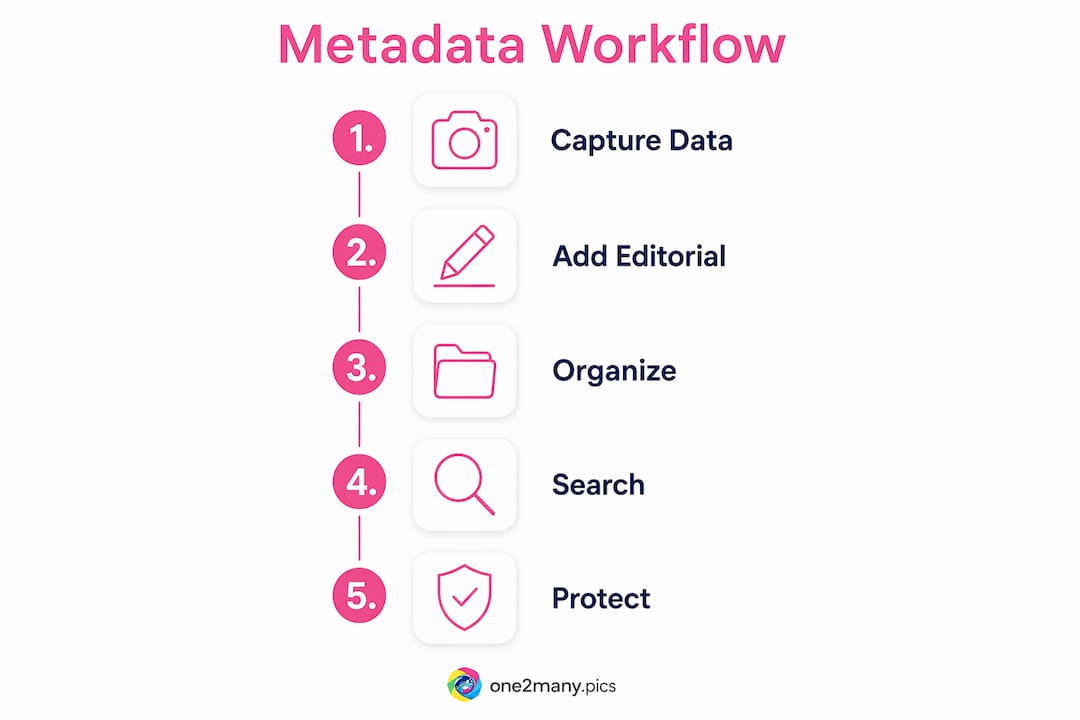
Digital asset management systems like Fotoware, Canto, and Adobe Lightroom all use metadata fields as their primary search index. In Lightroom, you can filter an entire catalog by lens type, star rating, color label, or copyright status in seconds. That speed comes entirely from embedded metadata, not from the file name or folder location.
The benefits of image metadata management extend to automation as well. Many DAM platforms let you set rules that auto-tag incoming images based on EXIF date ranges or GPS regions. A travel photographer returning from a two-week shoot can have every image from Tokyo automatically grouped before they even open the first file.
- Date and time sorting: EXIF timestamps let you reconstruct the exact sequence of a shoot, even across multiple cameras.
- GPS and location filtering: Geotagged images can be mapped and filtered by city, country, or custom region.
- Keyword search: IPTC keywords let you retrieve every image of a specific subject, model, or product across years of archives.
- Copyright and rights tracking: IPTC copyright fields make it clear which images are licensed, restricted, or available for reuse.
- Batch editing: Tools like ExifTool and Adobe Bridge let you apply copyright notices, creator names, and keywords to thousands of files at once.
Pro Tip: Set a metadata template in Adobe Lightroom or Bridge with your name, website, and copyright notice. Apply it on import so every file you ever shoot carries your attribution automatically.
What are the privacy risks of photo metadata?
GPS metadata embedded in photos can reveal the exact location where an image was captured, creating serious privacy exposure when posted publicly. This is not a theoretical risk. A photo posted to Instagram or Twitter with GPS data intact tells anyone who extracts it exactly where you live, work, or spend time regularly.
Smartphones are the biggest source of this problem. Most phones enable location tagging by default in the camera app. Every selfie taken at home, every product photo shot in your studio, and every behind-the-scenes image from a private event carries your coordinates unless you disable location services for the camera specifically.
Here is a practical approach to managing metadata privacy:
- Disable GPS in your camera app. On iOS, go to Settings > Privacy > Location Services > Camera and set it to "Never." On Android, open the camera app settings and turn off location tagging.
- Review metadata before posting. Use a tool like ExifTool or the built-in file info panel in Adobe Photoshop to check what data is embedded before you share any image.
- Strip metadata from images you post publicly. Several tools remove all EXIF data before upload. This is especially relevant for creators who post from home or private locations.
- Keep metadata-rich originals in a private archive. Strip the public version, but preserve the full metadata version locally for your own organization and rights records.
- Check platform behavior. Facebook and Instagram strip most metadata on upload, but not all platforms do. LinkedIn and some forums preserve EXIF data in shared files.
The benefits of metadata-free image posting are clearest for creators who post frequently from fixed locations. Removing location data before publishing protects your physical security without affecting the visual quality of your content at all.
What tools let you view and edit photo metadata?
Metadata can be hidden from plain view, and viewing it requires dedicated tools or software that reads the embedded data structures. The good news is that several reliable options exist across every budget level.
ExifTool is the most complete free option available. It reads and writes EXIF, IPTC, and XMP across virtually every image format, including RAW files from Canon, Nikon, Sony, and Fujifilm. It runs from the command line, which gives it power that no GUI tool matches for batch processing. A single ExifTool command can update the copyright field across 10,000 files in minutes.
Adobe Lightroom Classic and Adobe Bridge offer GUI-based metadata editing with template support. Lightroom's metadata panel shows all three standards simultaneously and lets you sync changes across selected images instantly. Bridge adds a more granular metadata editor suited for editorial workflows where IPTC fields need precise control.
XMP sidecar files deserve specific attention for RAW shooters. XMP sidecars store metadata externally for RAW formats, enabling portability across software without touching the original file. When you rate, keyword, or edit a RAW file in Lightroom, those changes write to a sidecar .xmp file. If you move to another application like Capture One or DxO PhotoLab, that sidecar travels with the RAW and preserves your work.
Not all software reads metadata uniformly, which causes the frustrating problem of keywords disappearing when files move between applications. The fix is to check which metadata namespace each tool writes to and whether it synchronizes IPTC and XMP fields. ExifTool's documentation lists namespace support for every major application.
| Tool | Cost | Best for | Metadata standards |
|---|---|---|---|
| ExifTool | Free | Batch editing, RAW | EXIF, IPTC, XMP |
| Adobe Lightroom Classic | Subscription | Photographers, DAM | EXIF, IPTC, XMP |
| Adobe Bridge | Free with CC | Editorial workflows | EXIF, IPTC, XMP |
| Windows File Explorer | Free | Quick EXIF review | EXIF only |
| macOS Preview | Free | Basic EXIF view | EXIF only |
For social media creators who need to manage metadata at scale, bulk image processing tools that handle metadata removal and variation generation save significant time compared to editing files one by one.
Key Takeaways
Photo metadata is the invisible layer that controls how your images are found, attributed, and protected, making it one of the most consequential aspects of digital image management.
| Point | Details |
|---|---|
| Three metadata standards | EXIF is automatic camera data; IPTC is editorial; XMP is the flexible container for both. |
| Organization at scale | Metadata fields like keywords and GPS enable automated sorting that filenames alone cannot provide. |
| Privacy risk from GPS | EXIF location data reveals exact capture coordinates; disable it or strip it before public posting. |
| Tool selection matters | ExifTool handles batch editing across all standards; Lightroom and Bridge suit visual workflows. |
| XMP sidecar portability | RAW shooters should rely on XMP sidecars to carry metadata safely across editing applications. |
Metadata is more than a technical detail
Most photographers treat metadata as a checkbox. Fill in the copyright field, maybe add a few keywords, and move on. That approach leaves real value on the table, and I've seen it cost creators attribution credit, licensing revenue, and even physical security.
The shift I've watched happen over the past few years is that privacy awareness is finally catching up to metadata literacy. Creators are realizing that the same data that helps Lightroom find your best landscape shots can also tell a stranger exactly where you live. That dual nature is what makes metadata genuinely worth understanding rather than just tolerating.
XMP is where the future of professional metadata lives. The ability to carry editing history, ratings, and rights information in a sidecar file that travels with a RAW original is a workflow advantage that most creators are not using fully. If you shoot RAW and you are not managing your XMP sidecars deliberately, you are losing metadata every time you move files between drives or applications.
The habit that matters most is consistency. A metadata template applied at import costs you nothing and protects everything. Your name, your copyright year, your website. Every file, every time. That single practice separates photographers who can prove ownership from those who cannot. Build the habit before you need it.
— one2many.pics
How One2many handles metadata for content creators
Photographers and creators who post frequently face a specific problem: the same metadata that helps you organize your archive can expose your location, device, and posting patterns to platforms and audiences you did not intend to inform.

One2many is built for exactly this situation. The platform removes embedded metadata including GPS coordinates, device identifiers, and timestamps from your images before you post, so your digital footprint stays private. It also generates visual variations of your images to avoid duplicate detection across accounts and platforms. For creators managing bulk content workflows or posting across multiple accounts, One2many's processing tools handle metadata removal and image variation at scale. Visit one2many.pics to see the plans available for individual creators and agencies.
FAQ
What is metadata in a photo file?
Photo metadata is structured data embedded in an image file that records technical details, content descriptions, and rights information. It does not change the image visually but adds context that software and platforms can read.
Does posting a photo online expose my metadata?
It depends on the platform. Facebook and Instagram strip most metadata on upload, but many other platforms and direct file shares preserve EXIF data including GPS coordinates. Always strip sensitive metadata before posting to unfamiliar platforms.
How do I read photo metadata on my computer?
On Windows, right-click the image, select Properties, and open the Details tab to view basic EXIF data. On macOS, open the image in Preview and go to Tools > Show Inspector. For full EXIF, IPTC, and XMP data, use ExifTool or Adobe Bridge.
What is an XMP sidecar file?
An XMP sidecar is a separate .xmp file that stores metadata for a RAW image without modifying the original. It travels alongside the RAW file and preserves keywords, ratings, and edits across compatible editing applications.
Why does metadata disappear when I move files between apps?
Software metadata compatibility varies because different applications read and write to different metadata namespaces. If one app writes to the XMP namespace and another reads only IPTC, the data appears missing even though it exists in the file.