
Getting flagged for duplicate content or having posts suppressed is one of the fastest ways to kill your social media growth. Whether you manage one account or twenty, the moment platforms detect that your images are too similar to previously posted content, they push your posts down, limit your reach, or trigger a shadowban. Add in the risk of copyright claims and metadata exposure, and image management becomes a genuine minefield. This guide walks you through the exact process to generate, customize, protect, and verify unique images across platforms without sacrificing privacy or speed.
Table of Contents
- What you need to create unique images safely
- Step-by-step: Creating and customizing unique images
- How to ensure privacy and track ownership
- Testing, validation, and avoiding common pitfalls
- Beyond the basics: What most guides miss about unique image creation
- Ready to take your unique image creation further?
- Frequently asked questions
Key Takeaways
| Point | Details |
|---|---|
| Use AI-trained on licensed data | Licensed AI generators protect you from copyright risk and deliver unique images. |
| Customize for each social platform | Tailor images and templates for the specific dimensions and algorithms of each platform. |
| Safeguard privacy and ownership | Embed invisible watermarks and copyright metadata to keep control of your imagery. |
| Test for true uniqueness | Leverage specialized tools and metrics to ensure your content doesn’t get flagged as a duplicate. |
| Blend tools for best results | Combining AI generators with privacy-oriented practices delivers reliable workflows for scale. |
What you need to create unique images safely
Before you start generating anything, you need the right foundation. Using the wrong tools can expose you to copyright liability, metadata leaks, or worse, false confidence that your images are truly unique when they are not.
The cornerstone is licensed AI image generation. AI generators trained on licensed, commercially cleared datasets are your safest starting point. Adobe Firefly, for example, generates images trained on licensed data, making outputs commercially safe for social media and significantly reducing copyright risks. This matters enormously when you are posting at scale or selling your content services to clients. A single copyright dispute can derail an entire campaign.
Understanding why unique images matter is essential before you invest in any toolset. Originality drives engagement, protects your accounts, and signals authenticity to platform algorithms. Generic or recycled visuals are not just a legal risk; they are a growth killer.
Here is a quick comparison of image creation approaches to consider:
| Approach | Uniqueness level | Copyright safety | Privacy protection | Best for |
|---|---|---|---|---|
| Stock photo with edits | Low | Medium | Low | One-off posts |
| AI generator (unlicensed data) | Medium | Risky | Low | Experimental only |
| AI generator (licensed data) | High | High | Medium | Regular social posting |
| Custom-trained AI model | Very high | Very high | High | Brand-focused scaling |
| Programmatic template generation | High | High | Medium | Bulk, multi-platform output |
What you need at the preparation stage:
- A licensed AI generator (Adobe Firefly, Canva AI, or similar)
- Brand asset library (logos, color palettes, fonts in approved formats)
- Metadata stripping and embedding tools
- A platform dimension guide for resizing
- A copyright and provenance tool like C2PA or watermarking software
Pro Tip: Before choosing any AI tool, check whether it lets you export images without baked-in platform metadata. Some generators embed their own fingerprints in exported files, which can complicate privacy workflows later.
For deeper context on keeping your creative work protected, image privacy strategies are worth understanding before you publish anything publicly.
Step-by-step: Creating and customizing unique images
With your tools and assets ready, here is how to create unique images step by step.
1. Select and prompt your licensed AI generator. Start with a generator trained on licensed data. Write specific, descriptive prompts. Vague prompts generate generic results that are more likely to overlap with other creators' outputs. Describe mood, lighting, composition, color palette, and subject specifics. The more precise you are, the more distinctive your output becomes.
2. Apply your brand assets immediately. Layer in your brand colors, logos, and typographic style as soon as the base image is generated. Custom AI models trained on your own brand assets produce consistent, unique-style images that are private by default, meaning no one else can access or replicate your model's outputs. This is one of the most underused tools in serious content operations.
3. Resize for each platform. One image resized correctly for every platform is not the same as one image slapped onto every platform. Programmatic generation using templates that adapt to platform dimensions, such as Instagram at 1080x1080 pixels and Twitter at 1200x675 pixels, ensures that each output is technically unique. Different crops, different compositions, different aspect ratios: these small changes signal originality to detection systems.
Here is a quick platform dimension reference:
| Platform | Post image size | Story/reel size | Cover/header size |
|---|---|---|---|
| 1080x1080 px | 1080x1920 px | 1080x566 px | |
| Twitter/X | 1200x675 px | 1080x1920 px | 1500x500 px |
| 1200x630 px | 1080x1920 px | 820x312 px | |
| 1200x627 px | 1080x1920 px | 1584x396 px | |
| TikTok | 1080x1920 px | 1080x1920 px | 800x800 px |
4. Apply visual variations before export. Adjust hue slightly, change contrast or saturation, alter background elements, or rearrange subject positioning. These variations create visually distinct outputs from a single source image. For cross-platform posting, this approach is essential because some platforms share duplicate detection signals with affiliated networks.
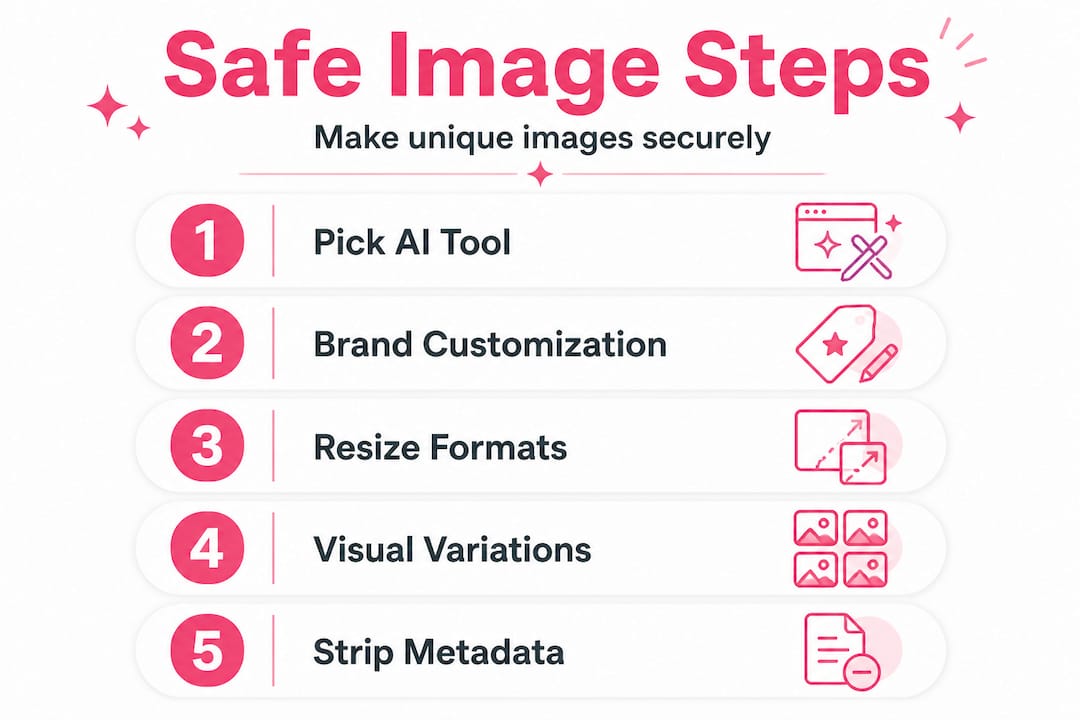
5. Strip all auto-embedded metadata. Before you download or upload any image, remove device data, timestamp, GPS coordinates, and any generator fingerprints. Most AI tools embed some form of creation data by default. Stripping this is not optional if privacy is a priority.
6. Run pre-publish duplication checks. Use reverse image search tools or platform-specific check tools to validate your image before posting. Understanding duplicate detection methods helps you understand what platforms are actually scanning for and what thresholds they use.
Pro Tip: Create a naming convention and folder structure for each platform's image variants. This sounds mundane but saves enormous time when you are managing multiple accounts and need to trace which version was posted where.
For creators who want to scale engagement without getting suppressed, studying content variations for reach reveals exactly what kinds of visual changes make the biggest difference to algorithm perception.
How to ensure privacy and track ownership
Once your image is generated and customized, the next layer is protecting both your identity and your ownership rights. This is where many creators skip critical steps, and it costs them later.
Invisible watermarks and fingerprints are the most reliable form of ownership proof that does not visually compromise your image. These are embedded at the pixel level and survive most forms of basic editing. Combined with XMP/IPTC metadata fields for copyright information, invisible watermarks and C2PA tools create a tamper-evident trail proving your ownership without compromising the visual uniqueness of the image.
C2PA, which stands for Coalition for Content Provenance and Authenticity, embeds a verifiable content credential into your image file. If someone edits your work and reposts it, the provenance chain flags the modification. This is increasingly important as AI-generated content floods every platform.
Key privacy and ownership practices to build into your workflow:
- Embed XMP/IPTC copyright metadata immediately after generation
- Use an invisible watermarking tool before downloading final versions
- Apply C2PA credentials for images used in paid campaigns or brand work
- Never upload unstripped images from your phone or camera to social platforms without removing GPS and device data first
- Keep a master log of image creation dates, tool used, and copyright embed details
"The gap between 'technically unique' and 'legally protected' is where most creators get burned. You can generate a thousand unique images, but without provenance tools embedded from day one, proving that you created them first becomes nearly impossible when a dispute arises."
For a complete breakdown of protecting your work from scraping and unauthorized use, protecting creative work covers the technical and strategic angles thoroughly. If you are also concerned about location data and personal exposure, knowing how to anonymize images before sharing is a skill every serious creator should have.
Testing, validation, and avoiding common pitfalls
Now that your workflow is set, it is crucial to test and validate that your images are actually unique and privacy-safe before posting. This step separates professionals from amateurs.
1. Run reverse image searches. Use tools like Google Reverse Image Search, TinEye, or Bing Visual Search to check whether any part of your image closely resembles indexed content. Do this for every image category you produce, especially if you use templates or repeated style prompts.
2. Check metadata after every step. Use a tool like ExifTool or a metadata viewer to confirm that all personal and device data has been stripped. Do this after every tool hand-off in your workflow because some editors reinsert location or device data automatically.
3. Measure visual hash distance. Tools that generate perceptual hash values for images (pHash or dHash) let you quantitatively measure how similar two images are. The farther apart the hash values, the less likely a platform's detection system will flag them as duplicates. This is especially useful when you are generating bulk variations. Understanding how platforms detect duplicates with up to 90% precision makes this step non-negotiable.
4. Test with a secondary account. Post a batch of images on a low-stakes account first and monitor reach metrics over 48 to 72 hours. If reach is suppressed compared to baseline, investigate whether the images are triggering duplication signals.
5. Audit your style consistency. Overfitting your style, meaning prompting the same generator with nearly identical instructions repeatedly, creates outputs that are unique on paper but visually indistinguishable to algorithmic detection. Vary your prompting vocabulary, lighting conditions, and compositional framing regularly.
Genericization techniques like PREGen reduce copyrighted character generation by more than 50%, and using generative model sampling to measure originality produces genuinely generic outputs that clear copyright and detection hurdles simultaneously. This approach is particularly useful for teams producing hundreds of images per week.
Pro Tip: Build a monthly audit into your content calendar. Compare the last 30 days of posted images using a perceptual hash tool to verify that your variation process is still generating truly distinct outputs. Workflows drift over time, and what felt unique in month one can become suspiciously repetitive by month three.
For creators focused on long-term account health, understanding how visual content engagement correlates with algorithmic favor helps prioritize which types of variation produce both uniqueness and engagement payoff.
Beyond the basics: What most guides miss about unique image creation
Most tutorials stop at "use an AI generator and strip your metadata." That is the floor, not the ceiling. Here is what genuinely experienced creators and content teams do differently.
Blending multiple AI sources is where the real differentiation happens. Using Adobe Firefly for commercial safety and layering outputs through a tool like Midjourney for stylistic variation creates a visual fingerprint that neither tool could produce alone. The comparison between AI image generators and design tools like Canva reveals a fundamental truth: no single tool dominates on all axes of speed, quality, and licensing safety. The smartest operators use multiple tools strategically based on the use case, platform, and audience.
Personalized AI represents a new frontier for privacy. Google's Gemini personal intelligence development signals where on-device AI is heading, and for creators, this means that training models locally on your own devices could eventually eliminate the risk of your brand assets touching a third-party server at all. We are watching this space closely because it changes the entire privacy calculus for image generation.
The contrarian point worth making: not every "unique" image is safe from penalties. Platforms do not just scan for visual duplicates. They scan for behavioral patterns. If you post 50 images in 48 hours across 10 accounts, all using the same metadata-stripped workflow, the behavioral signal alone can trigger suppression, even if every image is visually distinct. Content variations strategy has to account for posting cadence and behavioral fingerprinting, not just pixel-level differentiation. Unique images are necessary but not sufficient on their own.
The creators who scale successfully are the ones who treat uniqueness as a system, not a one-time action. They build variation into their prompts, their schedules, their metadata practices, and their testing routines simultaneously.
Ready to take your unique image creation further?
Creating genuinely unique, privacy-safe images at scale is a multi-step process, and managing it manually across dozens of accounts and platforms is time-consuming. That is exactly the problem One2Many.pics was built to solve.

One2Many.pics lets you create untraceable images by automatically stripping metadata, generating visual variations, and producing platform-ready versions from a single upload. Whether you are a solo creator who needs privacy on every post or an agency running bulk image workflows, the platform handles the technical layer so you can focus on creative output. You can also explore the affiliate opportunities if you want to share the tool with your network and generate income while helping other creators stay protected and penalty-free.
Frequently asked questions
What is the safest way to make unique images for social media?
Use AI generators trained on licensed data like Firefly and always embed invisible watermarks or metadata to protect your ownership rights from day one.
How do social platforms identify duplicate images?
Platforms use pattern recognition and metadata scanning with up to 90% precision, meaning even subtle visual similarities or shared metadata can trigger suppression or penalties.
Does editing a stock image make it unique for social posting?
Basic edits rarely create enough differentiation; platform dimension-specific outputs combined with original elements and full metadata replacement are needed to avoid duplicate detection reliably.
Are custom-trained AI models private and safe for brand assets?
Yes, custom AI models trained on your own brand assets are private by default, making them a strong choice for teams that need consistent style without exposing proprietary visuals to shared platforms.
What are next-level strategies for verifying image uniqueness?
Use perceptual hash tools to measure visual distance between images and apply genericization techniques like PREGen to generate measurably original outputs that reduce copyrighted similarities by more than 50%.